
Ai
How to Use AI for Beginners: A Simple Step-by-Step Guide (2026)
Learn how to use AI for beginners: pick your first free tool, write good prompts, and use AI safely for work, study, and daily life.

 By Taylor Orlando
·November 18, 2026

Generative AI is a type of artificial intelligence that creates new things. Ask it to write an email, draw a picture, make a song, or write code, and it produces something new in seconds. It does not pick an old answer from a list. It makes fresh content based on what it learned from huge amounts of text, images, and other data.
If you have used ChatGPT, Google Gemini, or an AI image tool, you have already used generative AI. This guide explains what it is in plain English, how it works, what it can and cannot do, and how to start using it today.
Generative AI is AI that creates new content. The word “generative” means it generates, or makes, things. You give it a short instruction, called a prompt, and it gives you back new text, a new image, a new video, or new code.
Think of it like a very well-read assistant. It has studied millions of books, articles, websites, and pictures. When you ask it something, it uses patterns from all that reading to guess what should come next, word by word or pixel by pixel. The result is new, not copied from one place.
Here is a one-sentence answer you can remember: generative AI is software that learns patterns from large amounts of data and uses them to create new text, images, video, audio, and code.
The most famous example is ChatGPT. It writes, answers questions, and helps with code. Google Gemini and Claude do similar work. Tools like Midjourney and DALL-E make images from a text description. All of them are generative AI, because all of them create something new from a prompt.
People mix up these terms a lot. They are related, but they are not the same thing. Here is the short version:
| Term | What it does | Example |
|---|---|---|
| Artificial intelligence (AI) | The big umbrella: any software that does tasks that normally need human thinking | Spam filters, voice assistants, face ID on your phone |
| Machine learning (ML) | A part of AI: software that learns from data instead of following fixed rules | Netflix suggestions, fraud alerts from your bank |
| Generative AI | A part of ML: models that create new content | ChatGPT, Midjourney, DALL-E |
| Large language model (LLM) | A type of generative AI trained on huge amounts of text | GPT (behind ChatGPT), Claude, Gemini |
| Agentic AI | AI that can take steps on its own to finish a task, using tools | An AI agent that checks your calendar, books a meeting, and sends the invite |
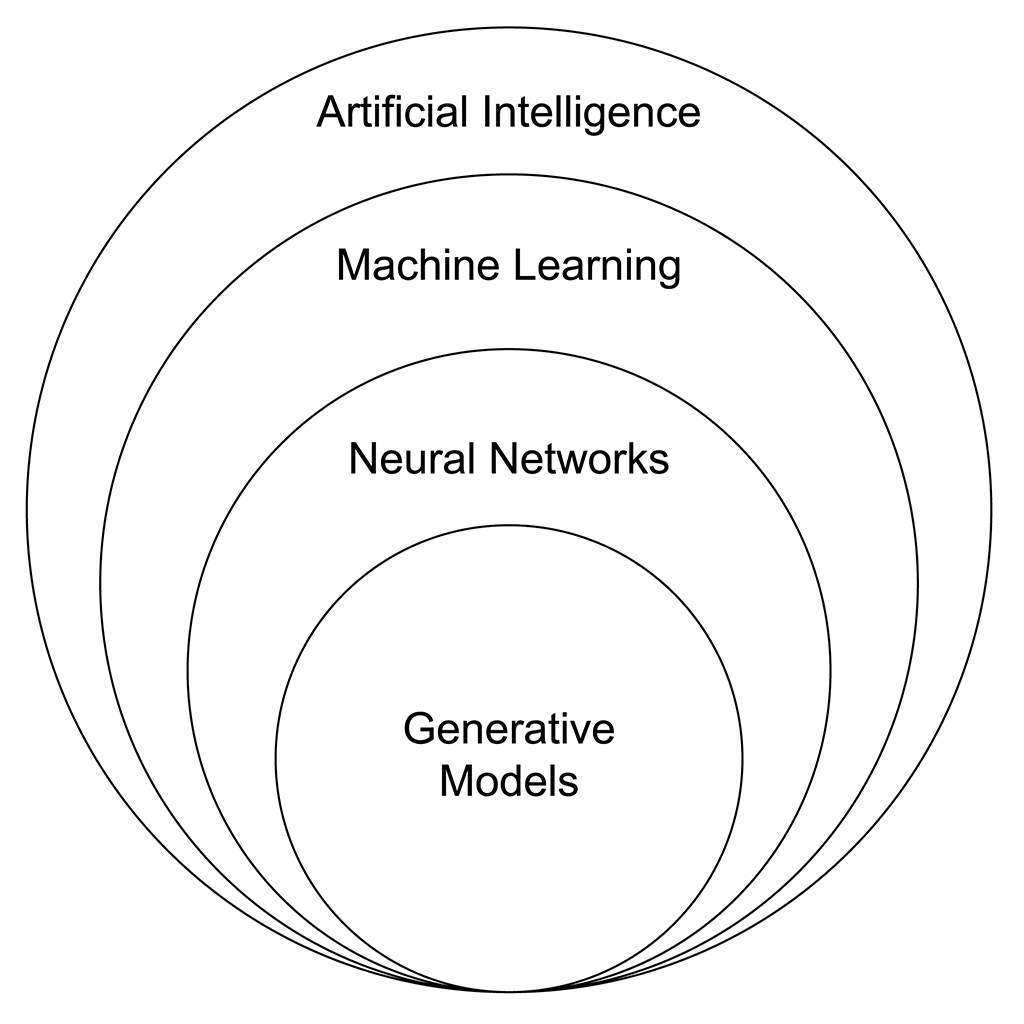
So AI is the umbrella. Machine learning sits under it. Generative AI sits inside machine learning. A large language model is one kind of generative AI, built for text. Agentic AI is the newest step: instead of only answering, it can also act, by using tools and following a plan.
One more distinction helps. Traditional AI mostly looks at data and makes a call: is this email spam, will this customer leave, what is in this photo? Generative AI does the opposite job: it makes something that did not exist before. A spam filter sorts. A chatbot writes. Both are AI, but they do different work.
You do not need to know the math. The process has three simple steps:
First, the model studies a huge amount of data: books, websites, articles, pictures, videos, and code. During training it learns patterns. It learns which words often follow other words, what a cat looks like in a photo, and how a normal email is built. Training takes weeks or months and a lot of computer power, but it happens once, before you ever use the tool.
Then you type an instruction, called a prompt. For example: “Write a thank-you email to a customer who bought a handmade candle.” The prompt tells the model what you want, in what style, and how long it should be.
Finally, the model predicts what comes next, one small piece at a time. For text, it picks the most likely next word, then the next, until the answer is done. For images, it builds the picture step by step from a noisy starting point. It is guessing based on patterns, not copying a page it memorized.
That last point matters. The model does not truly understand what it writes, the way you do. It is very good at patterns, and that is often enough to sound right. But it can also be wrong, which is why you should always check important facts. If you want the technical detail, IBM’s guide to generative AI explains the model types behind all of this.
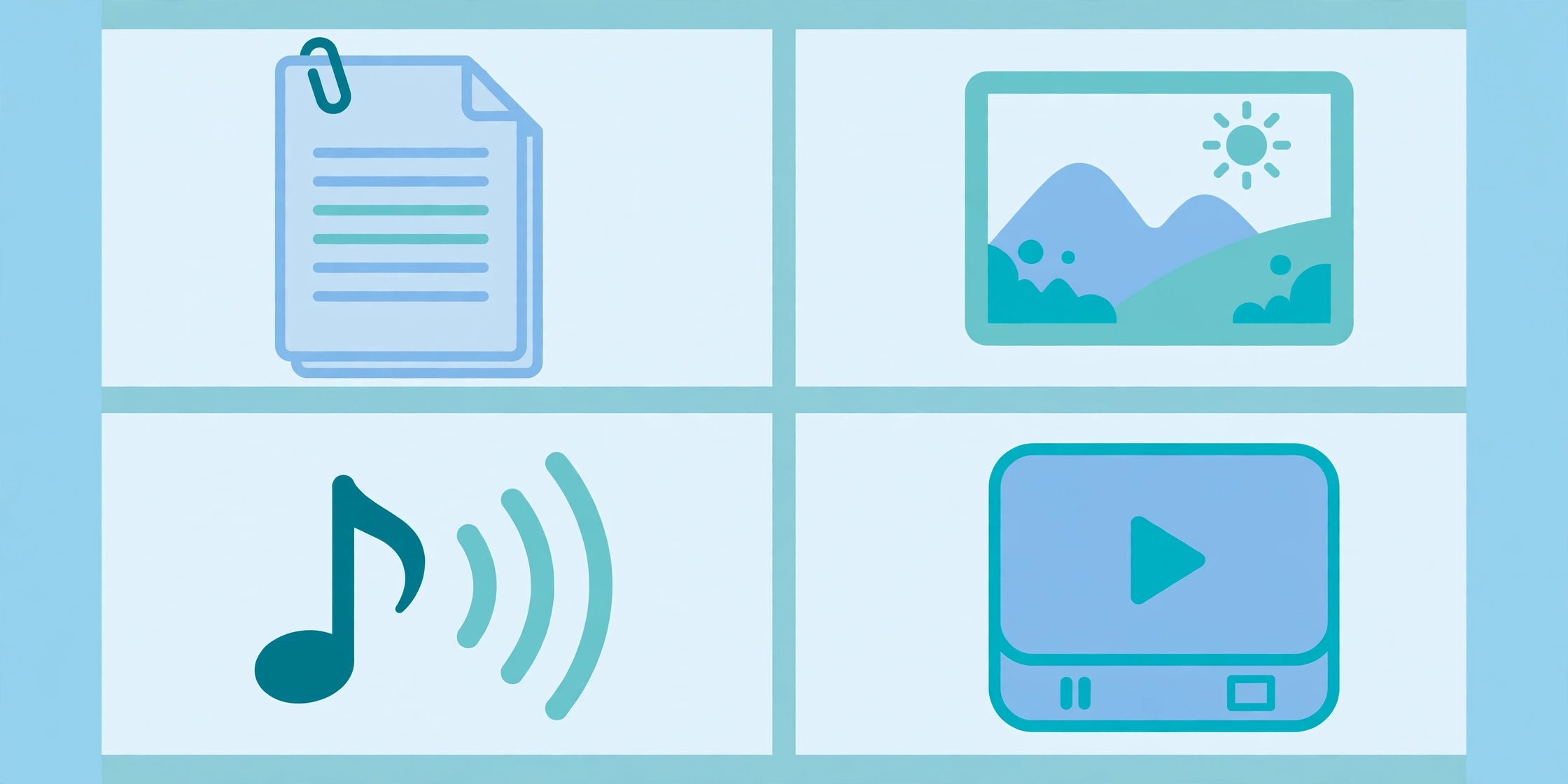
This is the most common use. It can write emails, blog posts, product descriptions, summaries, translations, and code. It can also rewrite your draft in a simpler or more formal tone.
Type a description like “a cozy coffee shop in the rain, watercolor style” and an image tool makes a picture for you. People use this for blog covers, social media posts, ads, and product mockups.
Video tools can turn a text prompt or a still image into a short clip. They can also make a presenter-style video from a script. The results are getting better fast, but long, realistic video is still the hardest job for these tools.
Generative AI can read text out loud in a natural voice, clone a voice from a short sample, or compose a short piece of music. Podcasters use it for voiceovers, and businesses use it for phone greetings and ads.
It can write code from a plain-English request, explain code you did not write, and find bugs. Programmers use it as a helper, not as a replacement: a person still checks the code before it goes live.
Most people do not use generative AI for big, fancy projects. They use it for small, daily jobs:
The quality of the answer depends on the quality of the prompt. A weak prompt gives a weak answer.
Weak prompt: “Write a blog post.”
Good prompt: “Write a 300-word blog post for new dog owners about feeding a puppy. Use a friendly tone. Give three practical tips and end with a short checklist.”
The good prompt works because it says who the reader is, how long the text should be, what tone to use, and how it should end. Three habits make prompts better: be specific, give context, and ask for the format you want. Then read the answer, fix what is wrong, and ask for a new version. The first answer is a draft, not a final copy.
You do not need to pay to start. The three main chatbots all have free plans, and the free plans are enough for most daily tasks.
| Tool | Best for | Free plan? | Paid plan |
|---|---|---|---|
| ChatGPT | All-round text, images, and voice | Yes | Plus: $20/month |
| Google Gemini | Google apps, research, and long documents | Yes | Google AI Pro: $19.99/month |
| Claude | Long writing, coding, and careful editing | Yes | Pro: $20/month ($17/month on annual billing) |
| Microsoft Copilot | Windows and Microsoft 365 users | Yes, basic version | Paid add-on for business plans |
| Midjourney | High-quality AI images | No, paid only | Paid plans, billed monthly |
| DALL-E | Images inside ChatGPT | Through ChatGPT | Included in ChatGPT plans |
Prices checked in November 2026. They change often, so check the tool’s own pricing page before you pay. A good rule: use the free plan until you hit its limits every week. Only then is a paid plan worth it.
Generative AI is useful, but it is not magic. It helps most when you know both sides.
Big companies talk about generative AI a lot, but small businesses get the most practical value from it, because it replaces hours of work that one person used to do by hand. Here are six places to start:
Start with one task, not six. Pick the job that eats the most of your time, use AI for the first draft, and keep a human in charge of the final version. That is the whole system.
Today: open a free chatbot (ChatGPT or Gemini) and ask it one real question from your work. Not a test question, a real one. Read the answer like an editor, not a fan.
This week: try three small tasks: one email draft, one summary of something long, and one list of ideas. Notice which one saved you real time and which one needed too many fixes.
This month: pick the one repeated task that worked best and make it a routine. Try one image tool for a social post. Learn the basics of prompting: specific, with context, in the format you want. Google, Microsoft, and AWS all offer free short beginner courses if you want a guided start.
Yes. ChatGPT is the most famous example. It is built on a large language model, and it writes new text, code, and images from your prompts. It does not search for an old answer and paste it back. It generates a new answer each time.
GPT stands for Generative Pre-trained Transformer. Generative means it creates new content. Pre-trained means it learned from a huge set of books, articles, websites, and code before it ever talked to a user. Transformer is the name of the neural network design that makes it work.
AI is the broad umbrella: any software that does tasks that normally need human thinking. Generative AI is one part of it, the part that creates new content. Traditional AI mostly analyzes data and makes a call, like sorting spam or predicting sales. Generative AI makes something new, like a draft email or an image.
ChatGPT, from OpenAI. It made chatbots a household word after it launched in late 2022. Google Gemini is its main rival, and Claude is the other big name people use every day.
People usually list seven types: four by how they work (reactive machines, limited memory, theory of mind, and self-aware AI) and three by how capable they are (narrow AI, general AI, and superintelligence). Only narrow AI exists in real products today. That is the AI in your phone, your email, and ChatGPT. General AI and superintelligence are still ideas, not products.
Not on its own. It is fast at first drafts, but it cannot check facts, add real experience, or make judgment calls. The work that holds up is a mix: AI drafts, a person edits, checks, and takes responsibility for the final version.
Generative AI is a tool, and like any tool, it is only as good as the person using it. Start small, check everything important, and keep the final call with yourself.
Last updated: November 2026

Taylor Orlando is a content writer at Meregate covering websites, SEO, and AI. Taylor breaks down complex topics into simple, practical guides that help small businesses build better websites, rank higher on Google, and get real value from AI tools — no jargon, no fluff.
Learn how to use AI for beginners: pick your first free tool, write good prompts, and use AI safely for work, study, and daily life.

These 12 AI tools help nonprofits write grants, raise funds, and save hours every week — with free options for small teams. See prices and what each tool does.

Twelve AI tools that help with every step of a job search — finding jobs, tailoring your resume, applying, tracking, and interview prep — with free plans and prices.