Computers
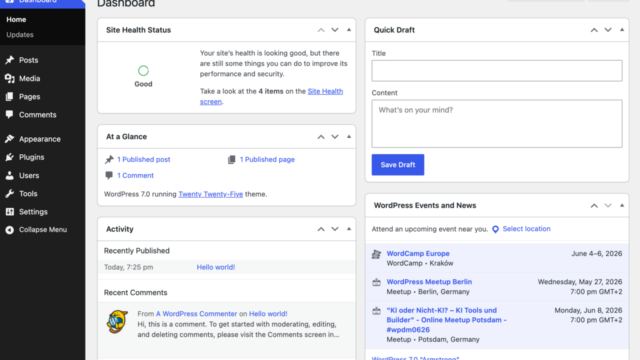
How to Install WordPress: A Simple Step-by-Step Guide (2026)
Learn how to install WordPress in about 5 minutes — with a one-click installer, a manual cPanel install, or on your own computer. Simple steps, no coding needed.

 By Taylor Orlando
·November 23, 2026

Learning how to build a website with AI is now one of the fastest ways to get a small business, portfolio, or side project online. You describe the site you want in plain words, the tool builds a first version in minutes, and you edit it until it looks right. No code, no designer, no weeks of waiting.
But the first version is never the finished version. The AI gives you a starting point, not a finished business website. This guide walks you through the whole process: picking a builder, writing a prompt that works, fixing what the AI gets wrong, and publishing a site that can actually rank on Google.
An AI website builder turns a short description into a working website. You type something like “a website for a bakery in Austin that takes cake orders and shows a photo gallery,” and the tool picks a layout, writes the text, chooses colors and images, and builds the pages.
Most of these tools work the same way:
That is the whole idea. The hard part is not the building — it is knowing what to ask for, what to check, and what the AI cannot do for you.
Start with the tool, not the prompt. The builders below all work, but they fit different people. If you want the easiest path and a free plan, Wix is the safe first try. If design matters most, look at Squarespace or Framer. If you want to build a small web app, not just a brochure site, Lovable or Replit fit better. A short comparison table is further down this page.
Before you pay for anything, check three things: can you publish on a free plan or only on a trial, can you connect your own domain, and can you export or move your site later. These three answers matter more than any feature list.
Your prompt is the brief. The more specific it is, the less fixing you will do later. A good prompt answers five questions: what the business is, who it serves, what visitors should do, which pages you need, and what tone you want.
A weak prompt: “Make me a website for my business.”
A strong prompt: “A website for a small plumbing company in Denver. It serves homeowners. The main goal is to get people to call for a quote. Pages: home, services, pricing, about, contact. Tone: friendly and plain. Add a hero section, three service cards, customer reviews, and a click-to-call button.”
Notice the difference. The second prompt gives the AI a business, an audience, a goal, a page list, and a tone. That is why it produces a usable first draft while the first one produces a generic page you will have to rebuild.
Read every word the AI wrote. AI copy often sounds smooth and says nothing — “we are passionate about delivering excellence” could describe any business on earth. Replace it with real facts: what you do, where you work, what it costs, and how to reach you.
Then check the details: swap stock photos for your own photos where you can, fix names, prices, phone numbers, and opening hours, and make sure the buttons go to the right pages. Test the site on your phone too. A layout that looks fine on a laptop can fall apart on a small screen.
Connect your domain, publish the site, and then do a quick check: does the site load fast, does it work on mobile, and can Google find it? Submit the site in Google Search Console so Google knows it exists. That takes a few minutes and it is free.
There is no single best builder. The right one depends on what you are building and what you can spend. Here is how the main options compare, based on what each one states on its own site.
| Builder | Free option | Paid plans start at | Best for |
|---|---|---|---|
| Wix | Free plan, no credit card needed, Wix-branded domain | $17/month (Light); $29/month (Core) | Small businesses that want the most complete free start |
| Squarespace | Free trial; a paid plan is needed to publish | No price shown on the builder page | Design-led sites, portfolios, and creatives |
| Lovable | Free, public projects with limited AI credits | No price shown on the builder page | Turning an idea into a working web app fast |
| Figma Make | Free Starter plan; some AI features use credits | No price shown on the builder page | Designers who want to edit the design and the code |
| Replit | Free to start; no price shown on the page | No price shown on the builder page | Apps and interactive sites built with AI help |
| Base44 | Free plan, publish to a live URL | From $16/month, billed annually | Small sites with built-in marketing tools |
Prices are what each builder showed on its own website in November 2026. They change, so check the pricing page before you pay.
Other names you will see in search results include Hostinger, Durable, Framer, 10Web, and GoDaddy Airo. They all do the same core job — describe it, get a draft, edit, publish — and the differences are in templates, pricing, and how much control you keep.
If you only need a simple site and want to spend nothing at first, Wix and Base44 both let you publish on a free plan. Squarespace is the better pick if the look of the site matters more than the price. Lovable and Replit are better when the site needs to do something, like take bookings or handle a form with real logic, rather than just show information.
AI builders are good at speed. A first draft in minutes, a clean layout, decent images, and text that reads well. For a simple business site, a landing page, or a portfolio, that is often enough to start.
They are weak in places that matter for the long run:
The honest answer is: anywhere from free to far more than you expect. Here is how the costs stack up.
Before you commit to a builder, add up the first-year total: plan + domain + email + any paid apps. A $16-a-month plan is really about $200 a year once the domain and extras are in.
Yes, in two ways. ChatGPT can write the code for a website — HTML, CSS, and JavaScript — which you can paste into WordPress, Wix, or a plain hosting account. And on eligible paid plans, ChatGPT Sites can build and host a simple site from a plain-language description.
ChatGPT is a good helper, not a full builder. It does not host your site, handle your domain, or give you an editor to change things later. Use it to write a first draft of your pages or to build a single landing page, then put the result into a real builder or hosting account where you control it.
AI builders are the wrong tool when the site is the business itself. A large online store, a site with hundreds of pages, a membership community, or anything with custom logic will fight the builder at every step. In those cases, WordPress with a good theme, or a developer-built site, will cost less in the long run than forcing a builder to do something it was not made for.
They are also the wrong choice if you need full control over your code and data. Most builders do not let you export your site and move it elsewhere. Your design and content live inside their system. If you ever want to leave, you may have to rebuild from scratch — so check the export and domain-transfer rules before you build anything serious on a platform you do not own.
Yes. Describe your website to an AI builder like Wix, Squarespace, Lovable, or Base44, and it will generate a first draft with pages, text, and images. You then edit it and publish it. No coding is needed.
Yes. Wix and Base44 both offer free plans that let you publish a site, though it will use a subdomain and show the builder’s branding. Squarespace only offers a free trial — you need a paid plan to publish. Lovable’s free plan covers public projects with limited AI credits.
For most people, Wix is the best free starting point: the free plan never expires, needs no credit card, and includes built-in SEO tools. Figma Make is a strong free option if you want design control, and Base44 is worth a look for its free publishing and built-in marketing tools.
A simple site can cost $0 on a free plan, or about $10 to $60 a month on a paid builder plan, plus roughly $12 a year for a domain name. Custom-built sites start around $300 and can cost $25,000 or more.
Yes, as long as you follow copyright, trademark, and privacy rules. In the US, purely AI-generated content generally cannot be copyrighted without meaningful human input, so write or edit the important text yourself. Also check that the AI did not copy text or images from someone else’s site.
It can, but the builder alone will not make it rank. Google ranks pages that answer real searches with useful content. That means writing real pages for real keywords, with clear headings and honest information — work the AI cannot do for you. An AI-built site with thin, generic text will struggle, while the same builder with strong, specific content can rank fine.
Last updated: November 2026

Taylor Orlando is a content writer at Meregate covering websites, SEO, and AI. Taylor breaks down complex topics into simple, practical guides that help small businesses build better websites, rank higher on Google, and get real value from AI tools — no jargon, no fluff.
Learn how to install WordPress in about 5 minutes — with a one-click installer, a manual cPanel install, or on your own computer. Simple steps, no coding needed.

Turn your website into an app in 4 ways — install it in your browser, build a PWA, wrap it for the stores, or rebuild it native — with honest 2026 costs and steps.

Learn how to choose web hosting for your small business website. Compare hosting types, prices, renewal costs, and the mistakes to avoid — in plain English.