SEO
How to Find Low Competition Keywords: 5 Simple Steps
Low competition keywords help new and small sites rank on Google. This guide shows you how to find them in five simple steps, with free methods anyone can use.

 By Taylor Orlando
·November 25, 2026
Last updated: November 2026
If you work on SEO, you will hear the terms dofollow and nofollow again and again. The difference between dofollow vs nofollow links is simple, but it matters for how Google treats the links on your site and the links that point to it.
Backlinks pass ranking strength from one page to another, and the dofollow or nofollow setting decides how that strength flows.
A dofollow link is a normal link. It has no special attribute in the HTML code. When a search engine follows it, it treats the link as an endorsement of the linked page, and it can pass link equity, which is ranking strength, to that page.
Example:
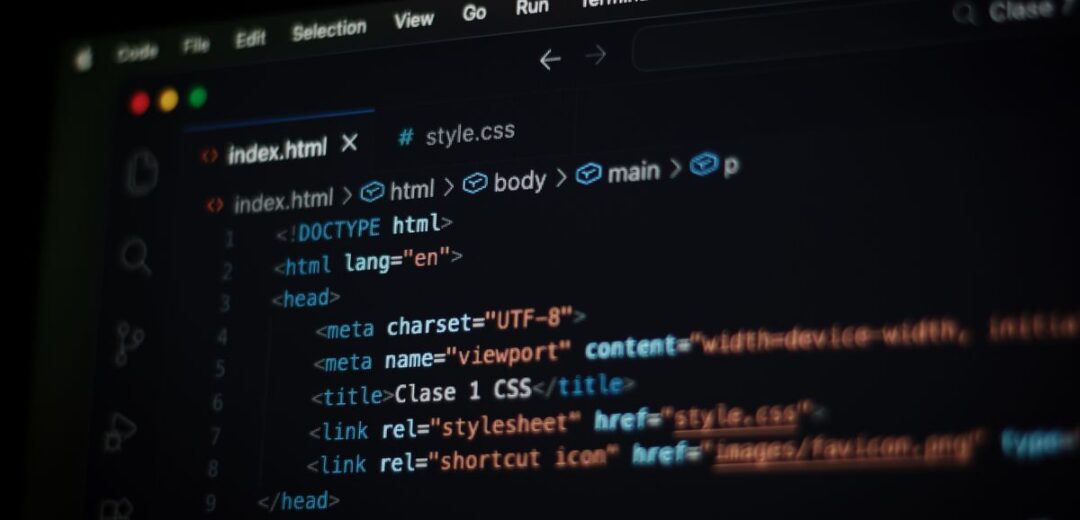
<a href="https://example.com">Example Site</a>
Every link is dofollow by default. You only change that by adding a rel attribute, covered below.
A dofollow link from a trusted site can help your page rank higher. That is why link building focuses so much on earning dofollow links from good sites. One dofollow link from a strong, relevant site can be worth far more than many links from weak sites.
A nofollow link is a link with rel="nofollow" added to the HTML. It tells search engines not to pass ranking credit in the normal way. The link still works for visitors. People can click it and reach the page. It just does not send the same ranking signal.
Here is what a nofollow link looks like in HTML:
<a href="https://example.com" rel="nofollow">Example Site</a>
The only difference is that small rel attribute. That is all it takes to change how Google treats the link.
Nofollow links show up in many places. Blog comments, forum posts, social media posts, and paid links often use nofollow. Site owners add it when they cannot vouch for the linked page, or when they did not choose the link themselves.
The table below sums up the main points in the dofollow vs nofollow links comparison.
| Dofollow | Nofollow | |
|---|---|---|
| Passes link equity | Yes | No |
| Influences rankings directly | Yes | No direct ranking boost |
| Default behavior | Yes, the default | No, you must add the attribute |
| Drives referral traffic | Yes | Yes, visitors can still click it |
| Common locations | Editorial content, trusted references | Comments, forums, social media, paid links |
| How Google treats it | Follows it and may pass ranking credit | Treats it as a hint, not a strict order, since 2019 |
The last row needs some explaining, because Google changed the rules in 2019. Before that change, nofollow was a strict instruction, and Google would not follow the link at all. After the change, nofollow became a hint. Google may choose to follow it, and may even use it for crawling and indexing, but it does not pass ranking credit in the normal way.
Google introduced the nofollow attribute in 2005 to fight comment spam. Spammers flooded blog comments with links to their own sites, hoping to gain ranking strength, and blog owners had no easy way to stop it. Nofollow gave them a tool. They could let people post links in comments without passing ranking credit to spam sites.
For many years, nofollow worked as a strict directive. If a link had rel=”nofollow”, Google ignored it for ranking purposes. That was the rule from 2005 until 2019.
On 10 September 2019, Google changed nofollow from a directive to a hint. Google now treats nofollow as a suggestion, not an order. On the same day, Google added two new attributes: rel="sponsored" for paid links, such as ads and sponsored posts, and rel="ugc" for user-generated content, such as comments and forum posts.
Then, from 1 March 2020, nofollow also became a crawling and indexing hint. Google may use nofollow links to discover and index pages, even though the links do not pass ranking credit in the normal way. Because of these changes, a lot of old advice about nofollow is now wrong.
Use nofollow, or one of the newer attributes, in these cases:
If someone paid you for a link, mark it. Use rel="sponsored" for paid links. Google wants paid links marked, and it treats unmarked paid links as a breach of its rules. This applies to sponsored posts, paid reviews, and ads that link to another site.
Blog comments and forum posts can contain links you never checked. Use rel="ugc" for these links. If you run a forum or a blog with open comments, this is the safest choice, since you cannot vouch for every link a stranger posts.
Sometimes you need to link to a page for context, but you do not want to endorse it. A nofollow link lets you point readers to the page without passing it ranking credit.
If you offer a widget or an embed code that other sites can place on their pages, the links inside it should be nofollow. These links are not editorial choices by the site owner, so they should not pass ranking credit.
Do not use nofollow in these cases:
When you write an article and link to a source you trust, leave the link as dofollow. That is how the web is meant to work. Good sites link to other good sites.
Never add nofollow to links between pages on your own site. Internal links help Google understand your site structure and help visitors move around. Adding nofollow to them blocks the flow of ranking strength inside your own site for no reason.
If you link to a page because you think it is useful, and nobody paid you for it, keep it dofollow. That is a normal editorial link, and it is exactly the kind of link Google wants to count.
You can check any link in a few seconds with your browser. Right-click on the link and choose Inspect. Your browser will open the developer tools and show the HTML for that link. Look for rel="nofollow" in the code. If it is there, the link is nofollow. If there is no rel attribute, the link is dofollow. Browser extensions can also highlight nofollow links on a page for you.
This check is useful when you get a backlink from another site. A dofollow link from a site with high domain authority is a strong result. A nofollow link from the same site still has value, as the next sections explain, but it will not pass ranking credit in the same way.

No. There is no required or safe dofollow to nofollow ratio, and Google has never set one. A natural link profile has mostly dofollow links, because most editorial links are dofollow. But the exact split does not matter on its own.
What matters is the quality of the sites that link to you. A few dofollow links from trusted, relevant sites beat hundreds of links from weak or unrelated sites. Do not buy links to fix your ratio. Focus on earning links from good sites by making content worth linking to. The ratio will take care of itself.
It is easy to dismiss nofollow links as useless. That would be a mistake. They still bring real value in three ways.
First, they drive referral traffic. A nofollow link on a popular site can send many visitors to your page. The link works the same for a human visitor whether it is dofollow or nofollow.
Second, they build brand visibility. When people see your name and your links on sites they trust, they start to know your brand. That recognition can lead to more searches for your brand name, more mentions, and more dofollow links later.
Third, they make your link profile look natural. A site with only dofollow links can look odd, as if every link was arranged on purpose. Real sites pick up a mix of both types over time. Google’s own guide to qualifying outbound links explains when to use each attribute.
A dofollow link is a normal link with no special rel attribute. Search engines can follow it and treat it as an endorsement. It can pass link equity, or ranking strength, to the linked page. Every link is dofollow by default.
A nofollow link is a link with rel="nofollow" in the HTML. It tells search engines not to pass ranking credit in the normal way. Visitors can still click it.
Nofollow links do not pass ranking credit in the normal way, so they do not lift rankings directly. But they still help. They can bring referral traffic, build brand visibility, and make your link profile look natural. They can also help Google find and index your pages.
No. Use nofollow only for paid links, user-generated content you cannot vouch for, and links to pages you do not want to endorse. Your normal editorial links to trusted sources should stay dofollow.
Both stop ranking credit from passing in the normal way, but they mean different things. Use rel="sponsored" for paid links, such as ads and sponsored posts. Use rel="nofollow" when you do not want to endorse a link and no more specific attribute fits. Use rel="ugc" for links in user-generated content, such as comments and forum posts.
Right-click the link in your browser and choose Inspect. Look at the HTML code for rel="nofollow". If it is there, the link is nofollow. If there is no rel attribute, the link is dofollow. Browser extensions can also highlight nofollow links on a page for you.
Yes, but not ranking credit in the normal way. They can pass referral traffic and brand exposure, and they can help Google discover your pages. Since 2019, Google treats nofollow as a hint, so it may use the link for crawling and indexing.

Taylor Orlando is a content writer at Meregate covering websites, SEO, and AI. Taylor breaks down complex topics into simple, practical guides that help small businesses build better websites, rank higher on Google, and get real value from AI tools — no jargon, no fluff.
Low competition keywords help new and small sites rank on Google. This guide shows you how to find them in five simple steps, with free methods anyone can use.
Not sure how your website is doing on Google? These 7 free SEO checker tools grade your site, list the errors, and tell you what to fix first.

12 simple steps to improve your website's SEO — technical fixes, keyword research, better content, faster pages, and how to track what works.