
Digital Marketing
How to Measure Content Marketing ROI: A Simple Guide
A simple, honest guide to measuring content marketing ROI: the formula, a worked example, the metrics that matter, and a 4-step monthly routine any small business can follow.

 By Taylor Orlando
·November 28, 2026

Last updated: November 2026
If you want to increase email open rates, you do not need a bigger list. You need better emails. Most people scan their inbox in seconds and delete most of what they see. Industry benchmark reports put the average email open rate at around 20 to 21.5 percent. That means about four out of five emails never get opened. This guide gives you ten practical ways to push your number above that average.
Your subject line does most of the work. People decide in about two seconds whether to open or delete. Short subject lines of six to ten words tend to perform best, because they show fully on a phone screen. Long lines get cut off, and the reader never sees the point.
Say what is inside the email. “Your 20% discount ends tonight” is better than “Big news inside!” The first one gives a reason to open. The second one sounds like every other email in the inbox. Try to spark curiosity without being vague. A question can work too, such as “Still thinking about the blue jacket?”
People open emails from people, not from companies. An email from “Sarah at Bright Bakery” will get more opens than one from “noreply@brightbakery.com”. A real name builds trust, and it makes the email feel like a message rather than a broadcast.
Keep the sender name the same from week to week so readers learn to recognize it. If you change it every time, people will not connect your emails with your brand. Pick one person on your team, or use the business owner’s name, and stick with it.
The preview text is the small line that shows next to the subject line in the inbox. Most email tools call it the preheader. Many businesses leave it blank, and the inbox fills it with the first line of the email, often something like “View this email in your browser”. That is wasted space.
Write the preheader as a second subject line. It should add a detail or a reason to open. For example, if your subject line is “Your 20% discount ends tonight”, the preheader can say “Use code SAVE20 before midnight, no minimum spend”. Together, the two lines give a complete reason to click.
Keep it short, around 40 to 90 characters, so it shows fully on most phones. And make sure it matches the email. If the preheader promises a discount, the email must contain that discount.
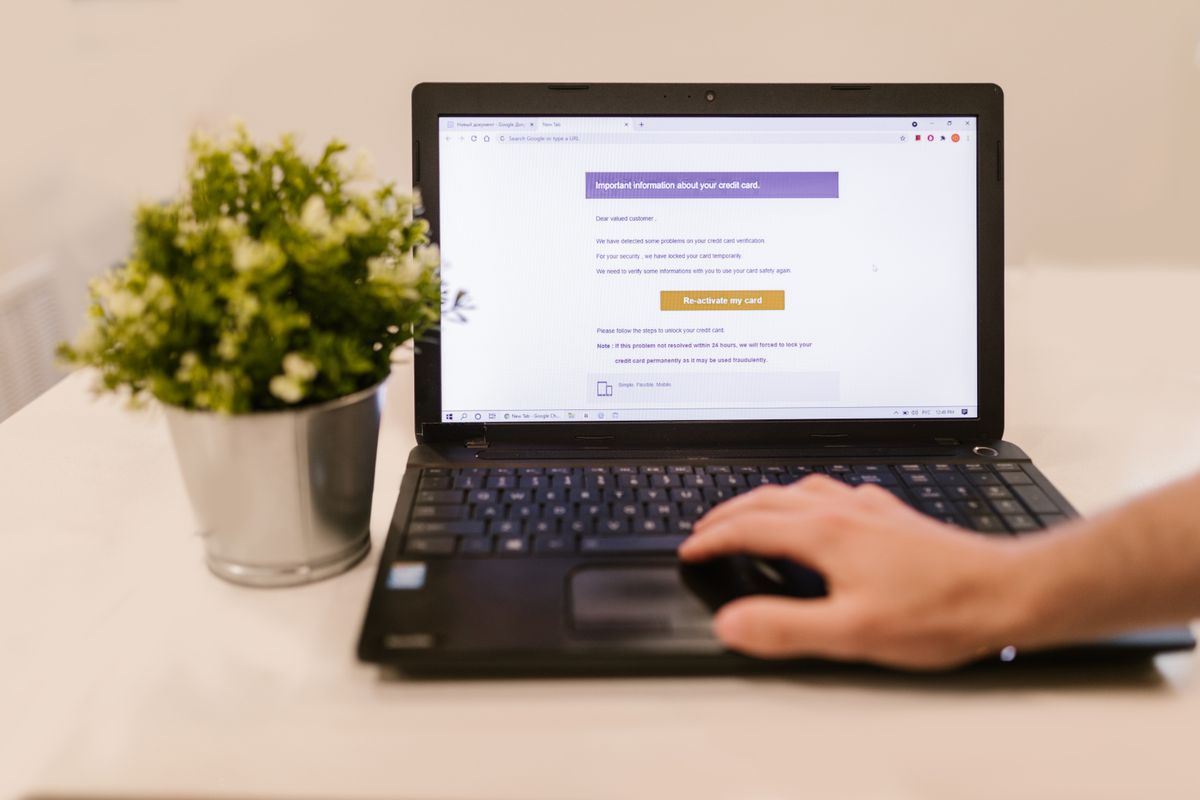
Adding a first name to a subject line can help, but it is only the start. Real personalization means the content fits the reader. A person who bought running shoes last month does not want an email about winter coats. They want new running gear or a care guide for the shoes they already own.
Use what you already know. Purchase history, location, and past clicks are all useful. A local shop can send a different email to customers in Chicago than to customers in Miami. A software company can send beginner tips to new users and advanced tips to long-term users.
You do not need fancy tools to start. Most email platforms let you tag subscribers by interest or by what they clicked. Even two or three simple groups will beat one generic email sent to everyone.
Not every subscriber is equal. Some open every email. Others opened once months ago and never came back. Sending the same email to both groups hurts your open rate and your sender reputation.
Split your list into three simple groups: hot, warm, and cold. Hot subscribers opened an email in the last 30 days. Warm subscribers opened in the last 90 days. Cold subscribers have not opened in more than 90 days. Send your best content to the hot group first. Send a re-engagement email to the cold group, such as a special offer or a simple “Do you still want our emails?” message.
Segmented campaigns perform better than one-size-fits-all sends. Mailchimp research reports that segmented campaigns see open rates about 13 percent higher than non-segmented ones. If you want to learn how to set this up, read our guide on what email segmentation is and how it works. For a broader view of how email fits into your marketing, see what email marketing is.
A big list looks good on paper, but inactive subscribers drag your open rate down. Every unopened email counts against your percentage. Worse, email providers notice when most of your emails go unopened. They may start sending your emails to the spam folder, even for people who want them.
Clean your list every three to six months. Remove addresses that bounce. Remove people who have not opened anything in six to twelve months, after you send them one last re-engagement email. If they still do not respond, let them go. A smaller, active list will give you a higher open rate and better results from every send.
Also use double opt-in for new subscribers. That means a person confirms their email address after signing up. It adds one small step, but it keeps fake and mistyped addresses off your list from the start.
There is no single best time to send an email. It depends on your audience. A business audience may open emails on Tuesday morning. Generic advice will not tell you what works for your readers.
Run a simple test. Send the same type of email at different times over four weeks. Try Tuesday at 10 a.m., Thursday at 2 p.m., and Saturday at 9 a.m. Compare the open rates. After a month or two, you will have a clear picture of when your readers check email.
Pay attention to time zones too. If most of your readers are in the United States, sending at 10 a.m. Eastern means it arrives at 7 a.m. Pacific, which may be too early. Many email tools can send based on each subscriber’s time zone.
Guessing does not work. Testing does. An A/B test sends two versions of a subject line to small parts of your list, then sends the winner to everyone else.
Start with one clear question. Does a short subject line beat a long one? Does a question beat a statement? Does a number in the subject line help, such as “5 ways to save on shipping”? Test one thing at a time so the result is clear. Most email marketing tools for beginners can run these tests for you with a few clicks.
Give the test enough readers to mean something. Testing on 50 people will not give a reliable result. If your list is small, test on the whole list over several emails instead of one. Write down what you learn so you can reuse it.
Spam filters look for certain words and patterns. Words like “free”, “guaranteed”, “no risk”, and “act now” can push your email toward the spam folder, especially in the subject line in all caps with exclamation marks. One word will not always cause a problem, but a subject line full of them will.
Write like a person, not like a sales flyer. “Your order is ready for pickup” will reach the inbox more reliably than “FREE!!! ACT NOW!!!”. Keep your subject lines calm and specific.
Also set up a branded sender domain if you have not already. Sending from your own domain, such as mail@yourshop.com, instead of a free address builds trust with spam filters. It is a one-time setup, and it helps every email you send after that.
Most people read email on a phone. If your email looks broken on a small screen, they will delete it and may not open the next one.
Keep the design simple. One column, large text, and a clear button or link near the top. Short paragraphs are easier to read on a phone than long blocks of text. Test every email on your own phone before you send it. Check that images load, links are easy to tap, and nothing runs off the edge of the screen.
There is no single good number, because open rates vary by industry and by list size. Industry benchmark reports put the average at around 20 to 21.5 percent. Retail and ecommerce lists often sit near or below that average. Education, government, and nonprofit lists often run higher, sometimes above 25 percent.
Your own list matters more than any benchmark. A small list of past customers will open at a higher rate than a large list of people who signed up for a free download and forgot about you. If you want to increase email open rates over time, track your own average over three months, then aim to beat it by a few points.
One warning: open rates are less reliable than they used to be. Since Apple introduced Mail Privacy Protection, Apple Mail can report an email as opened even when the person never read it. That inflates open counts. So do not judge your emails by open rate alone. Pair it with your click rate, which shows real action. If your open rate rises but your clicks stay flat, your subject lines may be doing better than your content. If both rise together, you are on the right track.
Industry benchmark reports put the average email open rate at around 20 to 21.5 percent. A rate above 25 percent is strong for most businesses. Compare your number to your own past results first, and to your industry second.
Yes. The subject line, the sender name, and the preview text are the three things a reader sees before opening. A short, clear subject line from a real person will beat a long, vague one from a company address almost every time.
Clean your list every three to six months. Remove addresses that bounce and subscribers who have not opened anything in six to twelve months, after one re-engagement email. A smaller, active list gives you a higher open rate and better inbox placement.
They are still useful, but less exact. Apple Mail can inflate open counts, so treat open rate as a rough guide rather than a precise measure. Always check it together with your click rate, which shows whether people actually acted on your email.

Taylor Orlando is a content writer at Meregate covering websites, SEO, and AI. Taylor breaks down complex topics into simple, practical guides that help small businesses build better websites, rank higher on Google, and get real value from AI tools — no jargon, no fluff.
A simple, honest guide to measuring content marketing ROI: the formula, a worked example, the metrics that matter, and a 4-step monthly routine any small business can follow.

Learn how to write website copy that turns visitors into customers. A simple step-by-step guide with examples, formulas, and mistakes to avoid.

Repurposing means turning one good post into new pieces for other places — a video, an email, a few social posts — without writing a new idea from scratch.