
Digital Marketing
How to Hire a Digital Marketing Agency: 10 Steps (2026)
Hiring the wrong agency wastes money and months. Follow these 10 steps to find an agency that fits your goals, your budget, and your business.

 By Taylor Orlando
·October 22, 2026
Email marketing for small business is one of the simplest and cheapest ways to bring in repeat customers. It means collecting email addresses from people who are interested in what you sell, then sending them useful emails on a regular basis: news, tips, special offers, and reminders. You do not need a marketing team or a big budget to start. A free email tool and a small list of willing subscribers is enough.
Why does it work so well? Because unlike social media, you own your email list. No algorithm decides who sees your message. When you send an email, it lands directly in your subscriber’s inbox. Industry research from Litmus has put the average return at $36 for every $1 spent on email marketing — higher than most other channels. This guide walks you through the whole thing in plain English: picking a tool, building your list, writing emails people open, staying out of the spam folder, and following the law.
Email marketing is just staying in touch with customers and potential customers by email — with their permission. A bakery might send a weekly email with the weekend menu. A plumber might send seasonal maintenance tips plus a reminder to book a checkup. A clothing shop might send new arrivals and a subscriber-only discount.
Most small business emails fall into three types:
You do not need all three on day one. Start with a welcome email and one regular newsletter. That alone puts you ahead of most small businesses.
Big companies spend millions on ads. You do not have to. Email marketing favors small businesses for a few simple reasons:
You need an email marketing tool — software that stores your contacts, sends your emails, and handles unsubscribes for you. Never send marketing emails from your personal Gmail or Outlook. Those accounts are not built for bulk sending, and you will hit sending limits fast.
Good beginner tools with free plans, checked in October 2026:
| Tool | Free plan | Good for |
|---|---|---|
| MailerLite | Up to 250 subscribers, 2,500 emails a month | Beginners who want something simple |
| Mailchimp | Up to 250 contacts, 500 emails a month | The best-known name, lots of tutorials |
| Brevo | Free plan with a daily sending limit, no credit card needed | Sending a little every day |
| Kit (formerly ConvertKit) | Free for up to 10,000 subscribers at last check | Bloggers and creators |
Free plans change often — the limits above were correct in October 2026, but check each tool’s pricing page before you commit. All four let you upgrade later as your list grows, and all handle the legal unsubscribe requirements automatically.
Do not overthink this choice. Pick one, create a free account, and move on. Any of these will serve a small business well for the first year or more.
Your list is everything. But how you build it matters more than how fast you build it. One rule covers it all: only email people who said yes.
You will see offers to buy “10,000 targeted emails” for a few dollars. Do not do it. Those addresses did not agree to hear from you, so most will mark you as spam. Enough spam complaints and email providers will block everything you send — even to your real subscribers. A list of 100 people who asked to join beats 10,000 strangers every time.
The single most important email you will ever send is the welcome email. It goes out automatically the moment someone joins your list, when their interest is highest. Welcome emails get far higher open rates than regular newsletters, so make this one count.
Most email tools let you set up a short automatic series. Here is one that works for almost any small business:
Write these three emails before you tell anyone about your list. That way every new subscriber gets a good experience from day one, even while your list is tiny.
You do not need to be a writer. Clear and honest beats clever every time. A few rules that work:

The subject line decides whether your email gets opened. Keep it short (under 50 characters), specific, and honest. Compare:
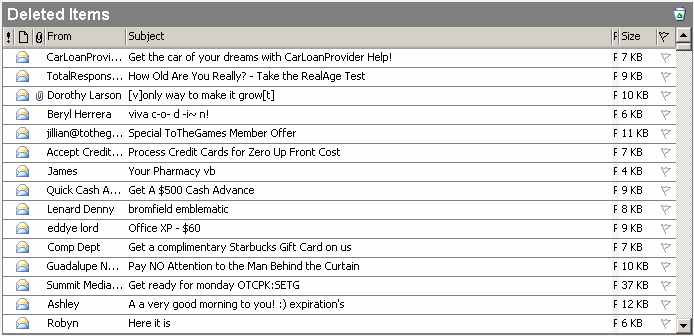
All-caps, piles of exclamation marks, and words like “free money” or “guaranteed” look like spam — because spammers write that way. Write subject lines the way you would write to a customer standing in front of you.
Each email should do one thing. If it announces a sale, do not also squeeze in three blog posts and a survey. Short emails get read; long ones get saved for later (which means never). A few short paragraphs and one clear button or link is the perfect shape.
Use plain words and short sentences. “We” and “you” beat stiff corporate language. Read your email out loud before sending — if it sounds odd spoken, rewrite it. And always send a test to yourself first and open it on your phone, since most subscribers will read it there.
Getting marked as spam is the silent killer of email marketing. You can write great emails, but they earn nothing sitting in a spam folder. Here is what actually keeps you in the inbox:
In the United States, commercial email is governed by the CAN-SPAM Act. The good news: if you use a proper email tool and follow basic honesty, you will comply without thinking about it. Here is what the law requires, in plain words — the FTC’s CAN-SPAM compliance guide has the full details:
Penalties are serious: up to $53,088 per violating email under current FTC penalty levels. That number alone is reason enough to use a real email tool (which handles most of this automatically) instead of blasting from a personal inbox. Note that email laws differ by country and change over time — if you email customers outside the US, check the rules that apply to them too.
For most small businesses, one or two emails a week is the sweet spot. Less than that and subscribers forget who you are. More than three a week and you risk annoying people into unsubscribing — unless they signed up for daily content and expect it.
Consistency matters more than frequency. A helpful email every Tuesday beats a burst of five emails followed by two silent months. Pick a schedule you can actually keep and stick to it.
Email tools show dozens of statistics. As a beginner, watch just three:
Do not chase perfect numbers. Compare each email to your own past emails, not to someone else’s benchmarks. Improving slowly is the whole game.
That is it. No funnels, no advanced automation, no expensive software. Get the basics running first; you can add sophistication later once the habit exists.
You can start free — the tools above all have free plans that cover a few hundred subscribers. Once your list grows past the free limits, expect roughly $9–$15 a month for up to a few thousand subscribers. Email remains one of the cheapest marketing channels there is.
Start with your first ten. A small list of people who genuinely want your emails will outperform a big cold list every time. Do not wait until you have hundreds — the welcome sequence works from subscriber number one.
Yes. Social media reach keeps shrinking and ad costs keep rising, while email goes straight to the inbox of people who asked to hear from you. The $36-to-$1 average return figure from Litmus has held up for years across industry studies.
Expect engagement (opens, replies) within weeks and real revenue impact within a few months of consistent sending. Email compounds: the longer you send useful emails, the more your list trusts you, and the better each send performs.
Absolutely. Modern email tools are built for non-marketers — drag-and-drop editors, ready-made templates, and automatic unsubscribe handling. If you can write a normal email, you can run a newsletter.
There is no single winner — it depends on your list size and needs. MailerLite and Brevo have the most generous free plans for typical small businesses, Mailchimp has the most tutorials available, and Kit suits creators. Compare the current free limits and pick one; you can switch later if you outgrow it.
Last updated: October 2026

Taylor Orlando is a content writer at Meregate covering websites, SEO, and AI. Taylor breaks down complex topics into simple, practical guides that help small businesses build better websites, rank higher on Google, and get real value from AI tools — no jargon, no fluff.
Hiring the wrong agency wastes money and months. Follow these 10 steps to find an agency that fits your goals, your budget, and your business.

Most small business websites cost $50 to $500 a month to maintain. Here is what each part costs, line by line, and how to keep the bill down.

Hiring a digital marketing agency gives you a full team of specialists for less than the cost of one in-house hire. Here are 10 honest reasons businesses do it — and the cases where you should not.