Home › Digital Marketing › How to Choose a Web Designer: A Simple Guide for Small Business (2026)
How to Choose a Web Designer: A Simple Guide for Small Business (2026)
By Taylor Orlando·November 12, 2026
Picking the wrong web designer costs more than the fee you pay. A bad site can sit there for a year doing nothing — slow, hard to find on Google, and impossible to update without paying the designer again. This guide shows you how to choose a web designer for your small business, step by step, with real US costs, the questions that reveal a bad choice, and a contract checklist to protect yourself.
Before you talk to any designer, write down what the website has to do for your business. “Look professional” is not a job. A job is something you can measure:
Bring in more calls or quote requests from local customers
Let people book, buy, or ask a question without phoning you
Show up on Google when someone in your town searches for what you do
Answer the questions your customers keep asking, so your team stops repeating them
When you know the job, you ask better questions. Instead of saying “we need a new website,” you can say “we need a site that brings in more local leads, works on phones, and gives us a better chance of being found on Google.” That one sentence changes the whole conversation — and it helps a good designer give you a fair price.
2. The 4 types of web designer — and what each costs in the US
Most small businesses end up choosing between four options. The right one depends on your budget, how complex the site is, and how much help you want after launch.
Type
Typical US cost
Best for
Watch out for
Freelancer
$1,000 – $5,000
Simple brochure or service sites; you deal directly with the person doing the work
If they get sick or busy, your project stops
Boutique studio
$3,000 – $15,000+
Sites that need design, copy, and SEO together; a small team with a set process
Higher price than a freelancer for similar work
Large agency
$10,000 – $50,000+
Complex sites, e-commerce, or work across several departments
Overkill — and overpriced — for a 5-page brochure site
DIY builder (Wix, Squarespace)
$150 – $600 a year
A simple site you build yourself, or a very tight budget
You do the design, the words, and the SEO — and the site stays basic
Cost also depends on the type of site, not just who builds it. As a rough guide in the US:
Simple brochure site (5–10 pages): $1,000 – $5,000
Service or booking site (forms, scheduling, local SEO): $3,000 – $10,000
Small online store (up to 100 products): $5,000 – $15,000+
Custom site with special features: $10,000 and up
Ask for the first-year total, not just the build price. Hosting runs about $10–$50 a month, a domain name about $10–$20 a year, and ongoing maintenance $50–$200 a month. A $2,000 site that needs $200 a month in upkeep costs $4,400 in year one. Get that number in writing before you sign.
3. Where to find a web designer (and how to vet them)
Good designers are not hard to find. The hard part is telling the good ones from the ones with a nice sales pitch. Start here:
Ask other business owners. A referral from someone in your town, in a similar business, is worth more than any ad. Ask what the project cost, how long it took, and whether they would hire the same person again.
Search Google for “web designer near me” or “web designer + your town.” A designer who ranks for local searches understands local SEO — and that is exactly what you want them to do for you.
Check directories like Clutch and DesignRush. They list agencies and freelancers with verified client reviews, project sizes, and budgets. Read the bad reviews first — they tell you more than the five-star ones.
Look at freelance platforms like Upwork and Fiverr for small jobs. They work best for a small, clearly defined task. For a full website, a local designer or studio is usually a safer bet.
When you read reviews, look for detail. “Great to work with” tells you nothing. “Finished two weeks late but fixed every bug within a day” tells you a lot. If every review sounds the same, or the designer has no reviews at all, ask for two past clients you can call. A good designer will say yes without a pause.
4. Check their portfolio the way your customers will
A portfolio should show live websites, not screenshots. Screenshots hide slow loading, broken links, and pages that look bad on a phone. Open three or four of their sites and do this:
Open each site on your phone, on mobile data. Most of your customers will visit on a phone. If the site is slow or hard to use on a small screen, that is what your customers will get too.
Run one site through PageSpeed Insights. It is a free tool from Google that scores a page for speed. You do not need a perfect score — but a designer whose own clients’ sites score badly is not building fast sites.
Look for businesses like yours. A designer who has built sites for restaurants may not know what a plumbing company or a law firm needs. Similar work matters more than pretty work.
Look for results, not just looks. Ask: did the site bring in more calls, bookings, or sales? A designer who can point to a real result — “this site doubled their quote requests in six months” — is worth more than one who only shows nice layouts.
Google the business name plus the town. If their clients’ sites show up for local searches, the designer is doing the SEO basics right.
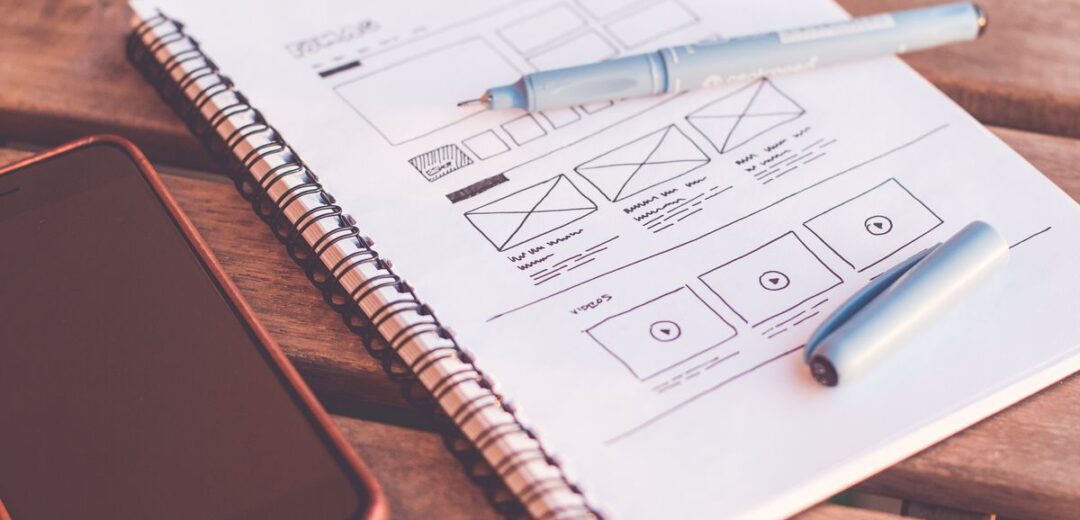
Source: Pexels
5. The 12 questions to ask before you hire
A good designer answers these plainly, in plain English. A bad one gets vague, changes the subject, or answers with jargon. Ask them in your first call, and write the answers down.
About the build
What will the site be built on, and why? WordPress, Squarespace, Wix, Shopify, and Webflow all work — but for different businesses. A shop needs Shopify or WooCommerce. A simple service site may be fine on Squarespace. The designer should explain the choice in terms of your business, not their preference.
Is SEO included, or is that a separate cost later? This is the biggest trap. The site goes live looking fine, then nobody can find it. The build should include page titles, meta descriptions, heading structure, fast loading, and a sitemap sent to Google Search Console — or you should know the extra cost up front.
Who writes the words? Most designers are not copywriters. If you have to write every page yourself, that is fine — but agree on it now, not three weeks into the project when nothing is moving.
Can I update the site myself — and will you show me how? You should be able to change a price, add a page, or swap a photo without paying a fee every time. Ask for a short training session and a simple written guide.
About ownership and the contract
Will I own my domain, and is it registered in my name? This is the most expensive mistake on this list. Some designers register your domain in their own name “for convenience.” If you ever part ways, they hold your web address hostage. Your domain must be in your name, in your account, from day one. No exceptions.
Who owns the website, the code, and the design files? You should own all of it once you have paid in full. Watch for terms that delay ownership — some firms only hand over the code after months of paid service. Get it in writing.
What happens if I want to leave? Ask this before you sign, not after. You should be able to take your site, your domain, and your content to another designer. If leaving means rebuilding from scratch, the designer owns your business, not you.
What does the contract say about payment and changes? A normal schedule is a deposit up front, a payment at design approval, and the rest at launch. Ask how many rounds of changes are included — two rounds is common — and what extra changes cost.
About after launch
What happens after the site goes live? Who fixes bugs in the first month? Who updates the software? Who answers when the site goes down? Get a clear answer, and a price for ongoing help.
Will the site meet accessibility rules? In the US, websites can face legal claims under the Americans with Disabilities Act (ADA) if people with disabilities cannot use them. Ask whether the designer follows the Web Content Accessibility Guidelines (WCAG) — at least the basics like readable text, alt text on images, and keyboard navigation.
How long will it take, and what could slow it down? A simple brochure site usually takes 2–4 weeks. A service or booking site takes 4–8 weeks. A small online store takes 8–16 weeks. The most common delay is not the designer — it is content. If you have not sent your text and photos, the designer cannot build your pages.
How do you use AI in your work? Many designers now use AI tools for first drafts and images. That is fine — but ask which parts are AI-made, who checks the copy for errors, and whether your site will look like every other AI-built site. Your words and photos should be yours, not generated filler.
Source: Pexels
6. How to compare quotes fairly
Never compare quotes by price alone. A $1,500 quote and a $4,000 quote are not the same job — the cheaper one may leave out SEO, copywriting, training, or a year of hosting. Ask every designer for the same list, then compare line by line:
Line item
Quote A
Quote B
Number of pages included
Design: template or custom
Copywriting included?
SEO setup included?
Mobile and speed testing
Rounds of changes included
Training and written guide
First-year hosting, domain, plugins
Support after launch (how long?)
Payment schedule
Total first-year cost
Fill in this table for two or three quotes and the right choice usually becomes obvious. The cheapest quote often wins only because it leaves the most out. And if a designer will not give you an itemized quote, that is your answer — walk away.
7. Red flags that should stop you
Walk away — politely — if you hear any of these:
“We guarantee page one on Google.” Nobody can promise that. Google decides rankings, and anyone who guarantees them is either lying or using tricks that can get your site penalized.
“Your domain will be in our name, it is easier that way.” It is easier for them. It is a trap for you.
“SEO is a separate service — we can talk about it later.” SEO built in from the start costs far less than fixing a finished site. A designer who treats it as an add-on is selling you half a website.
No contract, no written scope, no timeline. If everything is a handshake and a verbal promise, there is nothing to point to when things go wrong.
No live portfolio — only mockups and screenshots. A designer with real clients has live sites to show. Mockups can hide a lot.
Unrealistically fast timelines. A full custom site in three days means a template with your logo pasted on top.
You cannot reach them. If they take a week to answer your first email, that is how they will treat you after you pay.
They insist you host with them, forever. Hosting with your designer is fine if it is your choice. If you cannot move your site elsewhere, you do not own it.
8. Before you sign: a 5-minute checklist
Run through this list with the contract in front of you:
The domain is registered in your name, in your account
You own the site, the code, and the design files after full payment
The number of pages, the platform, and the SEO work are listed in writing
Two rounds of changes are included, and extra changes have a set price
The payment schedule is clear: deposit, mid-project, at launch
There is a start date and a launch date, and a plan if the project runs late
Post-launch support is spelled out: how long, what it covers, what it costs after that
You get all logins and passwords — hosting, domain, email, analytics — on handover day
Legal pages (privacy policy, terms) are included or you know who writes them
Accessibility basics are covered, not ignored
9. After launch: the 10-minute check and the first 90 days
Your job is not over when the site goes live. On launch day, check these yourself — it takes about ten minutes:
Open the site on your phone, on mobile data. Every page loads in under 3 seconds.
Every page has a clear title and a way to contact you.
Every form works — fill one out and confirm you get the message.
Google your business name and your town. The site should show up.
Ask the designer to confirm the sitemap is sent to Google Search Console and analytics is installed.
Then watch the first 90 days. In the first 30 days, fix any bugs and check that your contact forms and phone number work. By day 60, look at your analytics: which pages get visits, where people leave, and whether calls or form fills are rising. By day 90, you should know whether the site is doing its job — and if it is not, that is the time to ask the designer what to fix, while the work is still fresh.
Keep your logins in one safe place. If you ever change designers, those logins are the difference between a smooth handover and starting over.
Frequently asked questions
How much should I pay a web designer?
For a small business website in the US, expect $1,000–$5,000 for a freelancer, $3,000–$15,000 for a boutique studio, and $10,000–$50,000+ for a large agency. A simple brochure site sits at the low end; an online store sits at the high end. Always compare the first-year total cost, not just the build price.
What is the average cost to hire a web designer?
Most small business websites in the US cost between $2,000 and $10,000 to build, plus $10–$50 a month for hosting and $50–$200 a month if you pay for ongoing maintenance. Very simple sites can cost less; custom e-commerce sites cost more.
Which website designer is best for small businesses?
For most small businesses, a freelancer or small studio that understands SEO is the best fit. You get a custom site, direct contact with the person doing the work, and a fair price. Choose an agency only if your site is complex or needs several specialists at once.
What is the 3 second rule in web design?
It is the idea that a page should load in about 3 seconds or less, because many visitors leave if a site is slow. It is a useful rule of thumb, not a law — but it is a good test. If your site takes 8 seconds to load on a phone, you are losing customers before they see anything.
Is web design still worth it in 2026?
Yes — but only if the site is built to bring in business, not just to look good. A fast, mobile-friendly site that shows up on Google and makes it easy to contact you is still one of the best investments a small business can make. A pretty site nobody can find is not.
A good web designer is a partner, not just a supplier. Take your time, ask the hard questions, compare quotes line by line, and read the contract before you sign. The cheapest option is rarely the cheapest in the end — and the right designer will make your business easier to run, not harder.
Taylor Orlando is a content writer at Meregate covering websites, SEO, and AI. Taylor breaks down complex topics into simple, practical guides that help small businesses build better websites, rank higher on Google, and get real value from AI tools — no jargon, no fluff.
Hiring a digital marketing agency gives you a full team of specialists for less than the cost of one in-house hire. Here are 10 honest reasons businesses do it — and the cases where you should not.
A digital marketing consultant belongs under Marketing Services in most ecommerce taxonomies — not under a product category. Here is the exact category to use in Google, NAICS, and marketplaces.
No. As of November 2026, InteractDigitalMarketing.it has no blog — the site is a single coming-soon page. Here is what the agency does and how to contact it instead.