SEO
Does Robots.txt Affect SEO? Yes, But Not Directly
Robots.txt affects SEO indirectly by controlling what Google crawls, not by changing rankings. Learn which blocks help, which mistakes can hide your whole site, and the myths to stop believing.

 By Taylor Orlando
·November 19, 2026
Learning how to rank a new website on Google is the first real job every new site owner faces. You build the site, you hit publish, you search for it — and nothing shows up. That is normal. A brand-new site has no history, no links, and no track record, so Google has no reason to trust it yet. This guide walks you through the exact steps to fix that, in order, using only free tools. No paid software, no agency, no tricks.
Last updated: November 2026
Before the steps, you need honest expectations. A new website almost never ranks on page one in its first week, and that is not a bug. Google has to find your pages, read them, decide what they are about, and compare them with older pages that have earned links and clicks over years. Your site starts that race from zero.
You may also hear about the “Google sandbox” — the idea that Google locks new sites out of rankings for months on purpose. Google has never confirmed that such a filter exists. What new site owners actually experience is simpler and less dramatic: pages get indexed slowly, rankings jump up and down, and a page can rank one day and vanish the next. That is what a site with no trust signals looks like. There is no secret penalty to escape. There is only work to do: make the site easy to crawl, publish pages that answer real searches, and earn a few honest links. The steps below do exactly that.
How long does the whole thing take? There is no fixed number, and anyone who promises one is guessing. As a rough planning guide, not a promise: most small sites see their first pages indexed within days to a few weeks, first clicks from low-competition keywords in 1 to 3 months, and steady traffic in 3 to 6 months. Competitive keywords take longer, often 6 to 12 months. The timeline section near the end of this guide breaks that down week by week.
Do these first. If any of them fail, the rest of the steps will not help, because Google cannot properly read your site.
If you fix a problem from this list, do not expect instant change. Google has to crawl the site again, and that takes days to weeks.
These two free tools from Google are the foundation of everything that follows. Set them up on day one, even before you have traffic, because they only start collecting data from the day you add them.
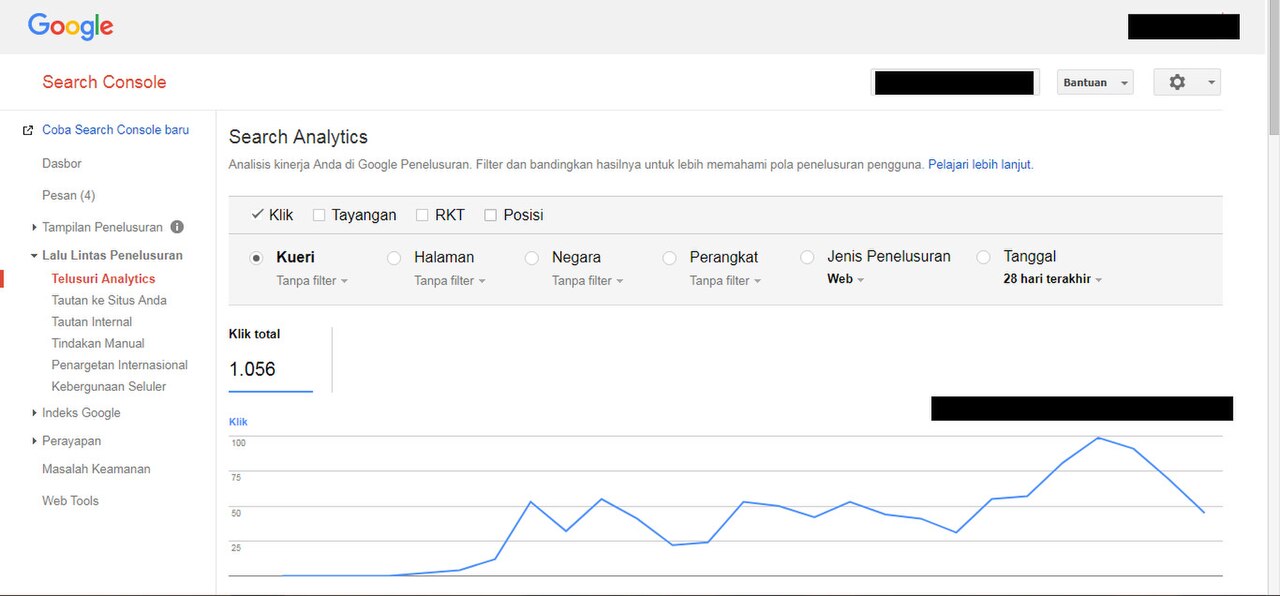
Google Search Console shows you how Google sees your site: which pages are indexed, which searches show your pages, your average position, and any errors. To set it up, go to Google Search Console, add your site, and verify that you own it. Verification is usually a small code added to your site or a DNS record at your domain registrar. Once verified, submit your sitemap under Sitemaps in the left menu. Then use the URL Inspection tool to ask Google to index your homepage and your most important pages.
Google Analytics 4 shows you what visitors do once they arrive: which pages they read, how long they stay, and where they came from. Create a free property at analytics.google.com and add its tracking code to your site. Most WordPress SEO plugins can add it for you.
From now on, these two tools are how you measure everything. If a step in this guide works, it will show up here first.
This is the step most new sites get wrong. If your site is a week old and you target “best shoes” or “web design services,” you are competing with companies that have spent years and thousands of dollars on those exact words. You will not win them yet. A new site wins by picking smaller, specific searches first.
Look for keywords that are:
You can find these keywords free. Type a short phrase into Google and read the autocomplete suggestions. Scroll to the bottom of a search results page for related searches. Use Google Keyword Planner (free with a Google Ads account, no ad spend needed) to check rough search volume. And once your site has a little data, Search Console itself shows you the real searches that already show your pages — those are often your easiest wins.
Pick 5 to 10 of these keywords to start. Each one gets its own page. One keyword, one page. Do not try to rank one page for ten different things.
A new site does not need 100 pages. It needs a small set of solid pages that tell Google clearly what the site is about. Start with these:
Keep your structure simple and flat: every page should be one or two clicks from the homepage. A clear structure helps visitors find things, and it helps Google crawl every page without getting lost. Add links between your own pages where they genuinely help the reader — for example, your homepage linking to your main service page, or a blog post linking to the service it mentions. This is called internal linking, and on a new site it is one of the cheapest ways to help Google understand which pages matter most.
Google’s job is to show the searcher the most helpful page. So before you write a word, search your keyword and read the top results. Ask yourself: what is the searcher actually trying to do? Then write a page that does that job better than the pages already ranking.
A few rules that work on new sites:
Do not publish AI-written text without reading and editing it yourself. Google does not ban AI content, but it does ignore thin, generic content no matter who wrote it. If a page adds nothing new, it will not rank — and a new site cannot afford pages that do not rank.
On-page SEO is the set of small signals on the page itself that tell Google what the page is about. It takes minutes per page, and it matters most on a new site, because it is fully in your control.
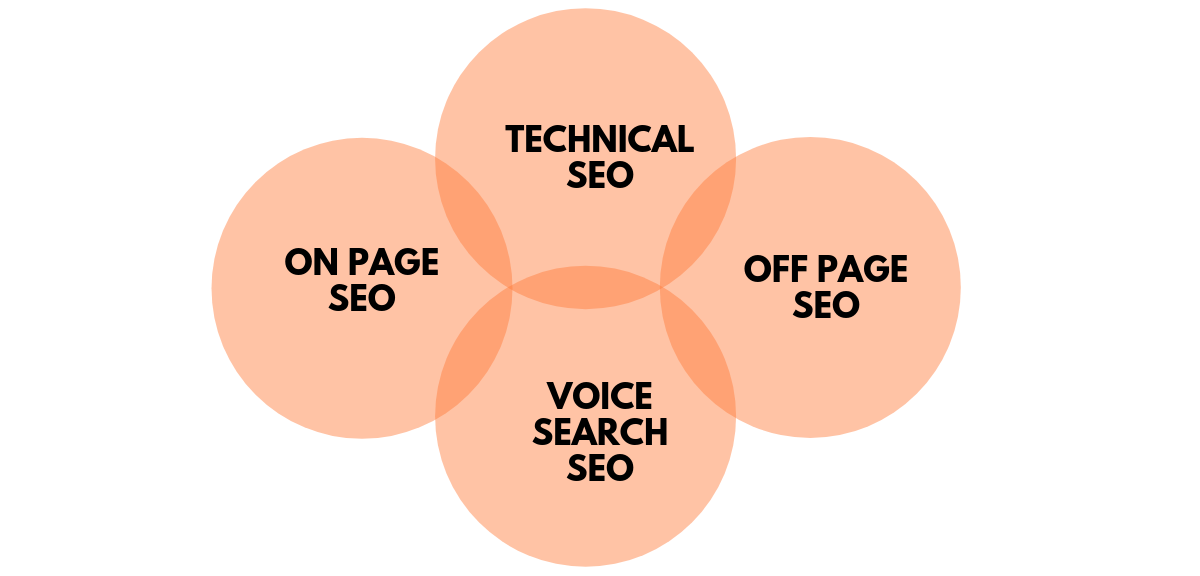
For each page, check these:
Most of this can be set in your SEO plugin (Rank Math or Yoast) on the edit screen of each page. Go through your first pages one by one. It is boring work, and it is exactly the work that separates sites that rank from sites that do not.
Speed and mobile-friendliness are ranking factors, and they are also just good business: visitors leave slow sites. Google measures three numbers called Core Web Vitals, and it publishes clear “good” targets for them: Largest Contentful Paint under 2.5 seconds (how fast the main content shows up), Interaction to Next Paint under 200 milliseconds (how fast the page reacts when tapped), and Cumulative Layout Shift under 0.1 (how much the page jumps around while loading). You can check all three free at PageSpeed Insights.
The fixes that help most new sites are simple:
You do not need a perfect score. Aim for the “good” targets above on your most important pages, then move on to content and links. Speed work has diminishing returns after that point.
Links from other websites are still one of the strongest ranking signals. A new site has none, which is a big reason it ranks slowly. But the wrong links hurt more than no links. Never buy links, never join link schemes, and never pay a service that promises hundreds of links. Those are the fastest way to get your site ignored — or penalized.
Safe first links for a new site:
Can a new website rank without backlinks? Yes, in low-competition niches, if the content matches the search well and the technical setup is clean. But it ranks slower and for easier keywords. A handful of real, relevant links speeds everything up. Aim for quality over count: five links from real, relevant sites beat fifty links from random directories.
Search is changing. Google now shows AI Overviews — short AI-written answers at the top of many results — and people also ask ChatGPT and Gemini questions directly. The good news is that the work is mostly the same: clear, factual, well-structured pages with original insight are the pages these systems quote.
A few things that help specifically here:
You can track this in Search Console, which now reports traffic from Google’s AI features in its overall search totals. Do not chase AI visibility as a separate project. It follows from the same good pages.
Use this table as a planning framework, not a promise. Every site is different, and Google gives no guarantees.
| When | What usually happens | What you should be doing |
|---|---|---|
| First 24–48 hours | Google finds your homepage if you submitted it in Search Console. A few pages may get indexed. | Submit the sitemap, request indexing for key pages, fix any errors Search Console reports. |
| Week 1 | Your main pages start appearing for your own brand name. Almost no traffic yet. | Finish the 7 checks, set up tracking, publish your first 3–5 posts. |
| Weeks 2–4 | Some pages appear for very specific long-tail searches. Rankings jump around a lot. | Publish 1–2 posts a week, fix on-page SEO on every page, ask partners for links. |
| Months 2–3 | First real clicks from low-competition keywords. Impressions in Search Console start climbing. | Double down on keywords that already show impressions. Add content around those topics. |
| Months 3–6 | Steady growth if you publish regularly and the content is good. Some pages reach page one for easier keywords. | Update your best pages, build a few more links, start targeting slightly harder keywords. |
| 6+ months | With steady work, the site has real traffic and a base of ranking pages. | Review what ranks, refresh what does not, and repeat the cycle. |
If nothing has been indexed after 3–4 weeks, something is wrong. Check Search Console’s Page Indexing report for the reason — usually a noindex tag, a robots.txt block, or a crawl error. Fix it and request indexing again.
Check Search Console once a week, not once an hour. Look at these four numbers in the Performance report:
What do good numbers look like? There is no fixed target, because every niche is different. A useful rule of thumb: by month 3, a small site publishing weekly should see impressions growing most weeks and a few clicks a day from its easiest keywords. If impressions are flat after two months of steady publishing, the problem is usually keyword choice — you picked words that are too competitive — or content that does not match what searchers want. Fix those before you publish more.
Also watch Google Analytics for what happens after the click. If visitors leave in seconds, the page did not deliver what the search promised. That hurts rankings over time, so fix the page instead of chasing more traffic to it.
Usually a few days to a few weeks. You can speed it up by submitting your sitemap in Search Console and using the URL Inspection tool to request indexing for each important page. If a page is still not indexed after 3–4 weeks, check for a noindex tag, a robots.txt block, or a crawl error in Search Console.
No. You cannot pay Google for a higher organic ranking. Paying gets you Google Ads, which puts your site in the sponsored section at the top, but that placement stops the moment you stop paying. Organic rankings come from SEO and content quality only.
The most common causes are indexing problems (Google has not found or indexed your pages yet), keywords that are too competitive for a new site, thin content that does not match what searchers want, and a lack of backlinks. Check Search Console first: it will tell you whether the problem is indexing, and the Performance report will show which searches already display your pages.
Yes. You do not need a license or a certificate. Google’s free SEO Starter Guide is the best place to start, and the free tools in this guide — Search Console, Analytics, Keyword Planner, PageSpeed Insights — cover the basics. It takes time and steady work, but it is entirely doable for a small business owner.
Yes, in low-competition niches, if the content matches the search well and the technical setup is clean. It will rank slower and for easier keywords. A few real, relevant links speed the process up a lot, so earning them is still worth doing.
For low-competition keywords, many small sites see first clicks in 1 to 3 months and steady traffic in 3 to 6 months. Competitive keywords take 6 to 12 months or more. Age alone is not the deciding factor — it is the combination of good content, clean technical setup, and links built over time.
Ranking a new website on Google is not a trick. It is a sequence: make the site easy for Google to find and read, pick keywords you can actually win, publish pages that answer real searches better than the pages already ranking, keep the site fast and mobile-friendly, and earn a few honest links. Then measure what happens in Search Console and repeat what works. Do that steadily for six months, and most small sites will have real, growing traffic. Start with Step 1 today — the tools are free, and every day you wait is a day Google is not learning about your site.

Taylor Orlando is a content writer at Meregate covering websites, SEO, and AI. Taylor breaks down complex topics into simple, practical guides that help small businesses build better websites, rank higher on Google, and get real value from AI tools — no jargon, no fluff.
Robots.txt affects SEO indirectly by controlling what Google crawls, not by changing rankings. Learn which blocks help, which mistakes can hide your whole site, and the myths to stop believing.
Learn how to submit your sitemap to Google Search Console in about five minutes. This guide covers finding your sitemap URL, submitting it, reading the status report, and fixing the most common errors.
Learn how to do local SEO yourself with free tools — claim your Google Business Profile, get reviews, fix your listings, and show up when nearby customers search.