
Entertainment
Gogoanime : What and Why So Many Anime Fans Use It
Anime has grown into a global form of entertainment, attracting viewers from every age group. From exciting battles and magical adventures to heartfelt romance and slice-of-life…

 By Saba Mumtaz
·February 9, 2024
· Updated February 10, 2024

In today’s fast-paced digital era, sports enthusiasts crave seamless access to their favorite games and updates, anytime, anywhere. With the advent of smart TVs, watching sports has transcended traditional cable subscriptions, offering viewers more flexibility and control over their viewing experience. LG, a prominent player in the smart TV market, provides users with a plethora of entertainment options, including access to sports content through various apps. One such app that has gained traction among sports aficionados is the Bally Sports App. If you’re eager to bring the thrill of live sports to your LG TV, here’s a comprehensive guide on how to get the Bally Sports App installed and ready to go.
Before diving into the installation process, it’s essential to grasp what the Bally Sports App offers. Formerly known as Fox Sports Go, the Bally Sports App serves as a gateway to live sports broadcasts, highlights, news, and analysis across various leagues and events. Whether you’re into basketball, baseball, football, or soccer, this app covers a wide array of sporting events, ensuring you never miss a moment of the action.
First things first, ensure that your LG TV is compatible with the Bally Sports App. While LG’s webOS-powered smart TVs generally support a vast range of applications, it’s advisable to verify compatibility to avoid any disappointments later on. You can check the compatibility of the Bally Sports App with your specific LG TV model by visiting the LG Content Store or referring to the official LG website.
To begin the installation process, power on your LG TV and navigate to the LG Content Store. This virtual marketplace is your gateway to a myriad of apps tailored for your LG smart TV. Using your TV remote, locate and select the LG Content Store icon from the home screen or via the designated button on the remote control.
Once inside the LG Content Store, utilize the search functionality to locate the Bally Sports App. You can either type “Bally Sports” into the search bar using the on-screen keyboard or use voice search if your LG TV supports this feature. Ensure that you select the official Bally Sports App developed by Bally Corporation or its authorized provider to guarantee a safe and authentic download.
After locating the Bally Sports App in the LG Content Store, click on the app icon to access its details page. Here, you’ll find information about the app, including its description, ratings, reviews, and screenshots. To proceed with the installation, click on the “Install” or “Download” button, depending on the terminology used by the LG Content Store.
Once the installation is complete, launch the Bally Sports App on your LG TV. You’ll likely be prompted to log in or sign up for an account to access the app’s features and content. If you already have a Bally Sports account, simply enter your credentials using the on-screen keyboard. Alternatively, follow the on-screen instructions to create a new account if you’re a first-time user.
Congratulations! You’ve successfully installed the Bally Sports App on your LG TV. Take some time to familiarize yourself with the app’s interface and features. Browse through the available sports categories, explore upcoming live events, catch up on highlights, and customize your preferences to tailor the app to your liking.
In the rare event that you encounter any issues during the installation process or while using the Bally Sports App, don’t panic. Here are some troubleshooting tips to help resolve common problems:
With the Bally Sports App installed on your LG TV, you’re now equipped to enjoy a front-row seat to your favorite sporting events without the need for a cable subscription. Whether you’re cheering for your home team or catching up on highlights, this app provides a comprehensive sports viewing experience right from the comfort of your living room. Follow the steps outlined in this guide, and unlock the excitement of live sports on your LG TV today!

Saba is the founder of Meregate and a passionate SEO and digital marketing specialist. She shares practical insights on SEO, AI, and online marketing to help businesses improve their search visibility, attract organic traffic, and grow their digital presence. Her goal is to provide actionable strategies that deliver measurable and long-term results.
Anime has grown into a global form of entertainment, attracting viewers from every age group. From exciting battles and magical adventures to heartfelt romance and slice-of-life…
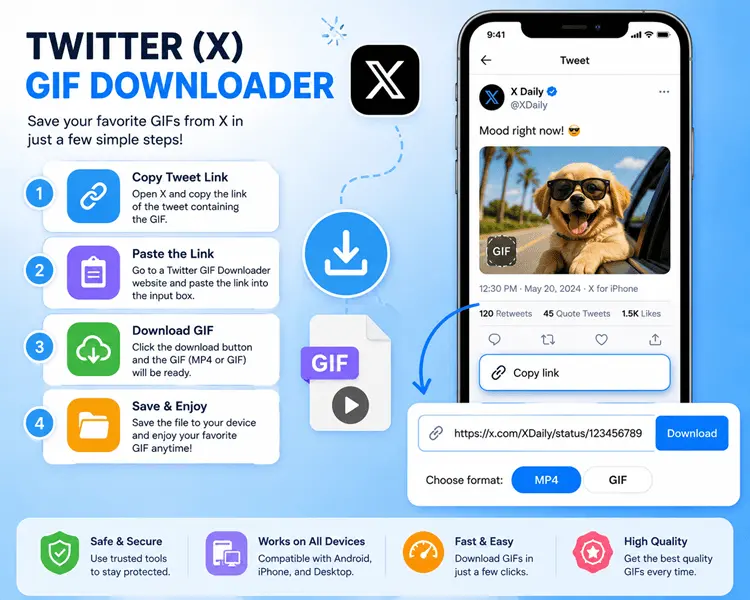
Have you ever come across a GIF on X that made you smile and wanted to keep it for later? Many users experience this, but X…

In today’s fast-evolving digital world, dating platforms are becoming more personalized and community-driven, especially for people who want connections that reflect their identity and values. The…