
SEO
How to Create a Robots.txt File: A Simple Guide (2026)
A plain-English guide to creating a robots.txt file: write the rules, upload it to your site root, and test it in Search Console.

 By Taylor Orlando
·November 17, 2026
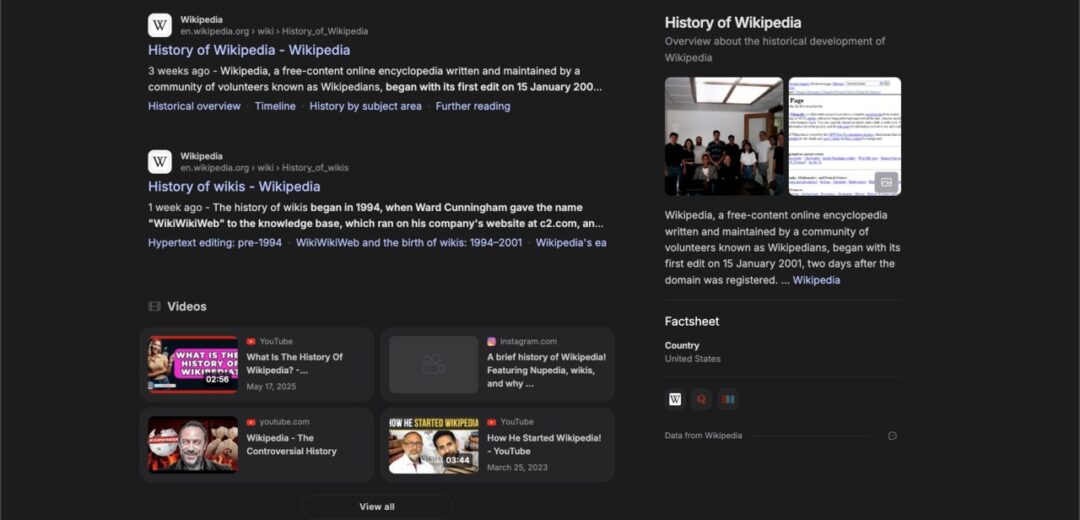
What is Google Search Console? It is a free service from Google that helps you monitor, maintain, and troubleshoot how your website appears in Google Search results. If you own a website, it shows you how Google sees that site: which search terms bring it up, which pages Google has found, and what problems Google has run into while reading it. You do not need it for your site to appear in Google, but without it you are working blind. You would have no simple way to know whether Google can find your pages, whether people click on them, or whether something on your site is keeping it out of search results.
Think of Google as the front door to your website for most visitors. Search Console is the report Google gives you about that front door. It tells you when people found you, what they searched for, and whether anything was broken when Google tried to visit.
Google Search Console, often shortened to GSC, is a free tool from Google for website owners. It was formerly called Google Webmaster Tools, so if you see that older name in an old article or video, it refers to the same service. The name changed, but the job stayed the same: to help the people who run a website understand how that website performs in Google Search.
When someone types a question into Google, Google checks its index, a huge list of pages it has found and read on the web. It then shows the pages it thinks match best. Search Console gives you a window into that process for your own site. Google asks for a one-time verification to confirm that you own or manage the site before it shows you its data.
You do not need Search Console to be listed in Google. Google finds and lists new pages on its own by following links and reading sitemaps. The point of using it is not to get listed. The point is to see what is happening after you are listed, and to fix problems before they cost you visitors.
Search Console groups its reports around a few simple questions: Are people finding you? Can Google read your pages? Is anything broken? Each report answers one of those questions in plain numbers and lists.
The performance report is the one most owners open first. It lists the search terms, or queries, that made your site appear in Google results. For each term it shows how many times your pages were shown, how many times people clicked, and the average position of your pages in the results. You might learn that people find your bakery by searching for “gluten free birthday cake near me” even though your home page talks mostly about wedding cakes. You might also see a page that appears often but gets very few clicks. That usually means the title or description shown in Google is not clear enough, and a small rewrite can help.
Before a page can appear in Google results, Google has to find it, read it, and add it to its index. Search Console shows you which of your pages are in the index and which are not. If a page you care about is missing, the report will often give a reason, such as a page Google could not reach, a page that returns an error, or a page Google read but chose not to index because it looked like a near copy of another page. Knowing the reason matters, because a page that was never found needs a different fix than a page that was found but skipped.
Search Console flags problems that can hurt your place in search results, such as pages that return errors, pages that take too long to load, and pages with problems that make them hard for Google to read. Each issue comes with a list of the affected pages, so you can work through them one by one. The tool also tells you about manual actions and security issues. A manual action means a person at Google reviewed your site and found that it breaks Google’s rules. A security issue means Google found signs that your site was hacked or is hosting harmful software.
Most searches now happen on a phone, so Google checks how your pages work on a small screen. Search Console lists mobile problems such as text that is too small to read, buttons that sit too close together, or content that is wider than the screen so visitors have to scroll sideways. If a visitor on a phone cannot tap the right button or read your prices without zooming, they will leave. Fixing the issues in this report makes the site easier to use for real people.
A sitemap is a simple file that lists the pages on your site. It works like a map you hand to Google so it does not miss a page. Search Console shows you the sitemap you submitted and whether Google was able to read it. You can also use Search Console to ask Google to re-check a single page after you update it or fix a problem on it. This is called requesting indexing. It does not guarantee that Google will list the page or rank it higher, but it does put the page back in the queue to be read again sooner.
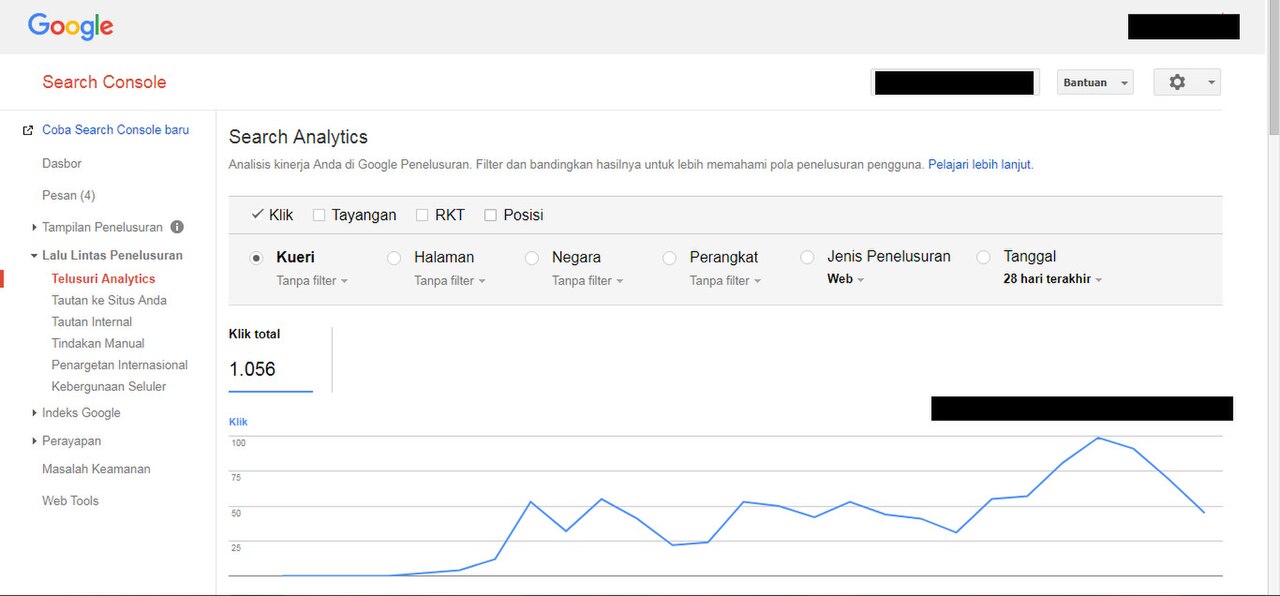
Search Console is a search tool, not a full website analytics tool. It shows you how people found your site in Google. It does not show you what they did once they arrived. It will not tell you how long visitors stayed, which pages they visited next, or whether they filled in your contact form or bought something. Those questions belong to a different tool. It also does not show you searches from other search engines, and it does not track visitors who arrive from social media, email, or a direct link. It is focused on one channel: Google Search.
Search Console does not fix problems for you either. It points to the problem and lists the affected pages, but the fix still has to happen on your site. Think of the tool as a health report, not a doctor. It tells you what is wrong. It also does not control how Google ranks your site. No setting inside Search Console pushes a page to the top of Google.
People often mix up these two free Google tools, because both deal with website visitors. They answer different questions, and most sites benefit from using both. Google Search Console answers the question: how does Google see my site? It covers the time before a person clicks. It shows searches, impressions, clicks, indexed pages, crawl errors, and mobile problems. Its data comes from Google Search itself.
Google Analytics answers the question: what do people do once they arrive? It covers the time after the click. It shows how many people visited, how long they stayed, which pages they viewed, and whether they completed a goal such as a purchase or a form submission. A short example makes the split clear. Suppose your page about roof repair appears in Google 1,000 times in a month and gets 40 clicks. Search Console gives you those two numbers. Analytics then tells you what those 40 visitors did: 25 left after a few seconds, 10 read the full page, and 5 filled in your quote form.
Anyone who owns or runs a website can benefit from it. That includes a small business owner with a five-page site, a blogger, a shop owner with an online store, and a person who manages a site for someone else. You do not need to be a technical expert to use it. The main reports use plain words and numbers: clicks, impressions, position, and lists of pages.
For a small business, search traffic is often the cheapest source of new customers. A person who searches for a plumber, a dentist, or a wedding photographer is already looking for help. If your site appears when they search, and the result looks clear and trustworthy, you have a real chance of winning that job. Search Console helps you protect that chance. It warns you when a key page drops out of the index, when a page starts returning errors, or when a mobile problem makes your site hard to use on a phone.
It also helps you make better choices about content. Instead of writing pages based on a guess about what people search for, you can look at the actual terms that already bring people to your site. If a term is bringing visitors but you have only one short paragraph about it, that is a clear sign to write a fuller page.
If you want a deeper explanation of what the tool covers, Google’s own guide to Search Console is a good place to start. It describes the service in Google’s own words and lists the main things it can do for a site owner.
Yes. Google Search Console is free for anyone who owns or manages a website. There is no paid version. You only need a Google account and a one-time check to confirm that you run the site before Google shows you its search data.
No. Google finds and lists pages on its own, and your site can appear in search results without the tool. Search Console does not put you in Google. It shows you how Google sees your site once you are there, which searches bring up your pages, and which problems Google found while reading them.
Search Console shows how Google sees your site in search results: queries, clicks, indexed pages, and errors. Google Analytics shows what visitors do after they arrive: how long they stay, which pages they view, and whether they buy or contact you. Search Console covers the search side. Analytics covers the visitor side.
Yes. It was formerly called Google Webmaster Tools. The name changed to Google Search Console, but the service is the same one. If you see the old name in an older article or tutorial, it refers to this tool.

Taylor Orlando is a content writer at Meregate covering websites, SEO, and AI. Taylor breaks down complex topics into simple, practical guides that help small businesses build better websites, rank higher on Google, and get real value from AI tools — no jargon, no fluff.
A plain-English guide to creating a robots.txt file: write the rules, upload it to your site root, and test it in Search Console.

Find out who really outranks you on Google, what they do better, and where the gaps are — with free tools and a simple 9-step plan.

Learn how to improve website speed with 13 simple steps using free tools. Fix images, caching, plugins, and hosting — no coding needed.