
Ai
How to Use AI for Business Marketing: A Small-Business Guide (2026)
How to use AI for business marketing on a small budget: 7 tool workflows, real costs, a free $0 stack, a 30-day pilot plan, and ROI math.

 By Taylor Orlando
·November 21, 2026
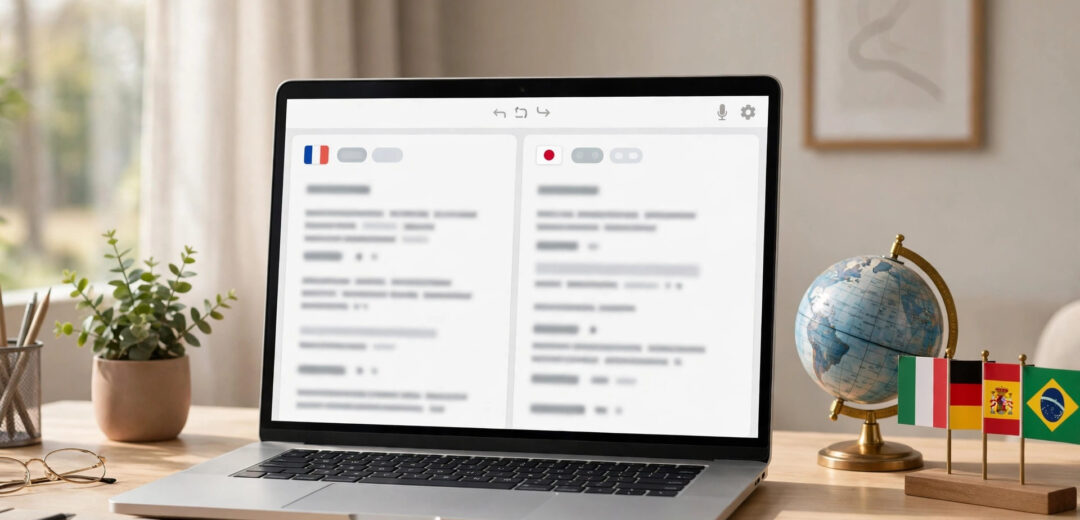
Need to translate a document, a website, or a chat message into another language? AI tools for translation can do it in seconds — and the best ones are free to start. But they are not all the same. Some are great for quick travel phrases, others for long business documents, and a few are built for whole teams.
This guide compares 12 AI tools for translation, with real free limits, prices, and honest picks for each use case. Prices and language counts were checked in November 2026, and they can change — always confirm on the tool’s own site before you pay.
Short on time? Start here.
| Tool | Best for | Languages | Free plan | Paid plans from |
|---|---|---|---|---|
| DeepL | Natural, professional text | 30+ | Yes — 1,500 characters at a time, 3 documents a month | $10.49/month ($8.74 on annual billing) |
| Google Translate | Free everyday translation | 249 | Yes — unlimited | Free (API paid for developers) |
| ChatGPT | Tone, context, creative text | 40+ (more in chat) | Yes — with limits | $20/month (Plus) |
| Claude | Long documents, careful wording | Many major languages | Yes — with limits | $20/month (Pro) |
| Gemini | Long documents, Google users | Many major languages | Yes — with limits | $19.99/month (Google AI Pro) |
| Microsoft Translator | Office and Teams users | 100+ | Yes | Free for most uses |
| QuillBot | Students and writers | 52 | Yes — 5,000 characters at a time | $19.95/month ($8.33 on annual billing) |
| Reverso | Learning how words are really used | 20+ | Yes | Premium plan available |
| iTranslate | Travel and speaking | 100+ | Yes — with limits | Pro plan available |
| MachineTranslation.com | Comparing many engines at once | 330+ | Yes — free tier | Paid plans available |
| Smartcat | Teams localizing lots of content | 280+ | Free trial | From $99/month |
| Crowdin | Software and app translation | 100+ | Yes — 1 project, 60,000 words | Paid plans available |
DeepL is the tool most professional translators compare everything else against. Its translations read like a person wrote them, especially between European languages — English to German, French, Spanish, Portuguese, Italian, Dutch, and Polish.
What it does well: natural wording, tone control (formal or friendly), glossaries that keep your brand words the same every time, and document translation that keeps the layout of Word, PDF, and PowerPoint files.
Free plan: 1,500 characters at a time and 3 document translations a month. The Starter plan costs $10.49 a month, or $8.74 a month if you pay for a year. It adds unlimited text and 5 documents a month.
Watch out for: DeepL covers 30+ languages, far fewer than Google Translate. If you work with Asian languages such as Vietnamese, Thai, or Indonesian, or with rare languages, you will need another tool. Prices are per user, so a team of five pays five times.
Best for: business documents, emails, and marketing text in European languages.
Google Translate is the most used translation tool in the world, and it is free. As of November 2026 it supports 249 languages and dialects — more than any other tool here — and more than 1 billion people use it each month.
What it does well: huge language coverage, instant camera translation (point your phone at a sign or menu), voice conversations in 70+ languages, offline packs for 59 languages, and whole-website translation in Chrome. A 2026 update added Gemini-powered live speech translation in 70+ languages.
Free plan: unlimited for everyday use. Google charges developers who use the paid API, not regular users.
Watch out for: the wording can sound flat or word-for-word, especially for marketing text or legal documents. It is a great first step, but read the result before you send it to a client.
Best for: travel, quick lookups, rare languages, and anything where you need a fast, free answer.
ChatGPT is not a translator in the usual sense — it is a chat tool that translates. That turns out to be a strength. You can tell it exactly what you need: “Translate this into Spanish, keep it formal, and keep the product name in English.”
What it does well: tone, context, and creative text. It handles idioms, jokes, and marketing copy better than most dedicated translators, because it reads the whole text, not one sentence at a time. It is also good at explaining a translation and offering other ways to say the same thing.
Free plan: free with limits; Plus costs $20 a month and gives faster responses and higher limits.
Watch out for: ChatGPT can smooth over details or invent a phrase that sounds right but changes the meaning. Never use it alone for legal, medical, or contract text without a human check. It can also refuse or soften violent or sexual content, which matters if you are translating a novel or a script.
Best for: emails, social media posts, creative writing, and any text where tone matters as much as meaning.
Claude, made by Anthropic, is a strong pick when the text is long or the wording has to be careful. It keeps track of context across long documents, so the same word gets translated the same way from page 1 to page 20.
What it does well: long documents, consistent terminology, and careful, natural phrasing. You can paste a whole report and ask for a translation plus a short summary of what changed.
Free plan: free with daily limits; Pro costs $20 a month for higher limits.
Watch out for: Claude does not have a dedicated translation interface with document upload and layout preservation like DeepL. You work in a chat, so formatting a finished document takes extra steps.
Best for: long reports, research papers, and careful business writing.
Gemini is Google’s AI assistant, and it is a solid translator — especially if you already use Google Docs, Gmail, or Drive. It can translate long documents, work with images and audio, and handle live voice translation.
What it does well: very long documents, multimodal input (text, images, voice), and real-time voice translation in 70+ languages through the Google Translate app. It fits naturally into Google Workspace.
Free plan: free with limits; Google AI Pro costs $19.99 a month for higher limits and more features.
Watch out for: for short, everyday translations, Google Translate itself is faster. Gemini earns its place on long or complex jobs, not quick lookups.
Best for: Google users, long documents, and live voice conversations.
Microsoft Translator is the quiet workhorse of the list. It is free, covers 100+ languages, and lives inside Word, Outlook, Edge, and Teams — so you can translate an email or a document without leaving the app.
What it does well: free text and speech translation, conversation mode for group chats in different languages, and offline packs on mobile. It is also the engine behind translation in Microsoft 365 apps.
Free plan: free for most everyday uses; businesses that use the API pay per character.
Watch out for: the standalone web translator is basic next to DeepL or Google Translate. Its real value shows up inside Microsoft apps, not on its own.
Best for: Microsoft 365 users, team chats, and meetings with people in other countries.
QuillBot started as a paraphrasing tool for writers and students, and its translator fits the same crowd. It covers 52 languages and sits next to a grammar checker, a summarizer, and a citation tool.
What it does well: simple interface, formality control, and tools that help after translation — fix the grammar, shorten the text, or build a citation. Free users can translate up to 5,000 characters at a time.
Free plan: 5,000 characters per translation. Premium costs $19.95 a month, or $8.33 a month if you pay for a year, and removes the character limit.
Watch out for: 52 languages is a small set next to Google Translate, and it has no document upload with layout preservation yet. It is a text translator, not a document tool.
Best for: students, writers, and anyone who translates short texts and then edits them.
Reverso is different from the rest: it shows you how a word or phrase is used in real sentences taken from films, books, and official documents. That makes it as much a learning tool as a translator.
What it does well: context examples, synonyms, verb conjugations, and pronunciation. If you are not sure which of three translations fits, Reverso shows you real examples so you can decide.
Free plan: free for everyday use; a Premium plan adds more features such as larger documents and an ad-free experience.
Watch out for: it covers around 20+ languages — good for the big European ones, weak for rare languages. It is not built for translating whole documents.
Best for: language learners and anyone who wants to understand a translation, not just copy it.
iTranslate is built for speaking, not sitting at a desk. It covers 100+ languages and works well on a phone: talk into it, point the camera at a sign, or download a language pack for offline use.
What it does well: voice translation, camera translation, offline mode, and a phrasebook for travelers. The conversation mode lets two people talk in different languages through one phone.
Free plan: free with limits and ads; the Pro plan removes ads and unlocks offline mode and more languages.
Watch out for: it is a travel tool, not a document tool. For work documents, DeepL or ChatGPT will serve you better.
Best for: travel, talking to people in person, and quick spoken translation.
MachineTranslation.com takes a different approach: it runs your text through 22 translation engines at once — ChatGPT, Gemini, Claude, DeepL, Google, Microsoft, and others — and shows the results side by side, with a score for each.
What it does well: side-by-side comparison across 330+ languages, document translation for PDF, Word, and other formats, and a privacy promise: your data is not used to train AI, with a zero-retention option.
Free plan: a free tier lets you try it; paid plans add more words and features.
Watch out for: comparing 22 results takes time. It is best when quality matters and you want to pick the best version, not when you need one fast answer.
Best for: anyone who wants to compare engines before trusting a translation.
Smartcat is for teams that translate a lot: websites, product pages, training videos, and help centers, in many languages at once. It mixes AI translation with human review and keeps a memory of your past translations so the same phrase always comes out the same way.
What it does well: team workflows, translation memory, video subtitles and dubbing, and AI agents that handle routine content. It covers 280+ languages.
Free plan: a free trial is available. Paid plans start from $99 a month, which puts it out of reach for one-off personal use — and that is fine, because it is not built for that.
Watch out for: the price and the learning curve. A small business with one website in two languages does not need Smartcat; DeepL plus a human editor will do.
Best for: companies localizing websites, courses, or videos at scale.
Crowdin is built for software: apps, websites, and games that need the same text in many languages, updated every time the product changes. Developers connect it to their code, and translators — human or AI — work in one place.
What it does well: software localization, AI translation with human review, translation memory, and a free tier with 1 project and 60,000 words.
Free plan: free tier available; paid plans add more projects, words, and team features.
Watch out for: it is a localization platform, not a quick translator. If you just need a document translated today, start with DeepL or Google Translate.
Best for: developers and product teams translating apps and websites.
There is no single best tool. Pick by the job, not by the brand.

Text translation is easy. Documents are harder, because the layout, tables, and images have to survive the trip.
DeepL handles this best for everyday use: upload a Word, PDF, or PowerPoint file and it keeps the layout. The free plan includes 3 documents a month; Starter allows 5. Google Translate also translates whole documents and websites for free, but formatting can shift. MachineTranslation.com supports PDF, Word, CSV, and images, and lets you compare engines on the same file.
Before you translate a document, check three things: the file size limit, the number of documents your plan allows each month, and whether the tool keeps your formatting. For contracts or official papers, always have a person review the result — no AI tool is safe to trust blindly there.

Video is the weakest part of AI translation in 2026. Most free tools do not do it at all. Your options are subtitles, dubbing, or live voice translation.
Smartcat covers subtitles and dubbing for video files. DeepL Voice translates live speech in real time. Google Translate’s live speech mode works in 70+ languages through the app. For a YouTube video or a course, expect to review the subtitles by hand — timing and tone still need a person.
Two questions matter more than the feature list: how accurate is it, and what happens to your text?
Accuracy. No tool is right every time. DeepL wins most blind tests for European languages. ChatGPT and Claude do better on creative or informal text. Google Translate wins on coverage, not on style. For important text, translate it with two tools and compare — MachineTranslation.com does this in one step — then have a fluent person read the final version.
Privacy. Free tools often use your text to improve their models. If you translate private business or client data, use a paid plan with a clear privacy promise. DeepL Pro deletes your data after translation. MachineTranslation.com offers a zero-retention option and says your data is never used to train AI. The European Commission’s eTranslation tool never trains commercial models on your text. Read the privacy page before you paste anything sensitive.
There is no single best tool. DeepL gives the most natural results for European languages, ChatGPT is best for creative text where tone matters, and Google Translate is best for free everyday use across 249 languages. Pick by the job.
ChatGPT is usually better for nuanced, natural translations where tone and idioms matter. Gemini is stronger for very long documents, multimodal work, and real-time voice translation. For short everyday text, either works — try both on the same paragraph and compare.
Yes, for most everyday tasks. It is good at meaning, tone, and context, and it works well for casual text and as a starting point. It is not the right choice alone for technical or official text, and it can struggle with slang. Check the result before you use it for anything important.
DeepL is better for short, formal, professional text in European languages, and for documents where the layout must stay intact. ChatGPT is better for creative text, long-form writing, and jobs where you need to control the tone. Many people use both: DeepL for the first pass, ChatGPT to adjust the tone.
Yes. Google Translate and Microsoft Translator are free with no real limits for everyday use. DeepL is free up to 1,500 characters at a time, QuillBot up to 5,000 characters, and ChatGPT, Claude, and Gemini all have free tiers. MachineTranslation.com also has a free tier for comparing engines.
For European languages, DeepL wins most independent blind tests. For creative and informal text, ChatGPT and Claude often read more naturally. For rare languages, Google Translate is usually the only tool that covers them at all. Accuracy depends on the language pair — test your own pair before you decide.
Last updated: November 2026. Prices and language counts change often — check the tool’s own website before you pay.

Taylor Orlando is a content writer at Meregate covering websites, SEO, and AI. Taylor breaks down complex topics into simple, practical guides that help small businesses build better websites, rank higher on Google, and get real value from AI tools — no jargon, no fluff.
How to use AI for business marketing on a small budget: 7 tool workflows, real costs, a free $0 stack, a 30-day pilot plan, and ROI math.

Learn how to use AI agents step by step — pick the right tool, set it up safely, and save hours a week. Free and paid options, real examples, mistakes to avoid.

Real ways to make money with AI as a beginner — 7 methods ranked, real costs, scam warnings, and a plan to land your first client.