
SEO
What Is a Backlink Profile? A Simple Guide for Beginners
A backlink profile is the full set of links pointing to your site, plus what those links look like. Learn what makes one healthy and how to check yours.

 By Taylor Orlando
·November 26, 2026

Last updated: November 2026
Good keyword research starts with the right tools, and you do not need to pay for them. These eight keyword research tools are all free to start with, and each one covers a different part of the job. Some give you new ideas, some show you what people type into Google, and one shows you the keywords your own site already ranks for. Together, they give a beginner everything needed to pick keywords real people search for.

Keyword research means finding the words and phrases people type into Google when they look for something. If you run a website, you want to know those words before you write, so you write about topics people actually search for.
A good keyword has three things: people search for it, it matches what your page offers, and you have a fair chance to rank for it. A small site will struggle with a short word like “shoes”, but it can rank for a longer phrase like “best running shoes for flat feet”. These longer phrases are called long tail keywords, and they are a good place for a new site to start.
Keyword research also helps you understand search intent, the reason behind a search. Some people want to learn, others want to buy, and knowing the intent helps you write the right kind of page. No single free tool gives you exact volumes, competitor data, and your own rankings in one place, so this list has eight tools that cover each other’s gaps.
Here are eight tools you can start using without paying. Each section explains what the tool does, what is free, and what it keeps behind a limit.
Google Keyword Planner is Google’s own keyword tool, inside Google Ads. You do not need to run ads to use it. Type in a word or a website address, and it gives you keyword ideas plus estimated monthly searches.
What is free: the tool costs nothing, and you can get ideas and volume estimates without spending on ads.
What it hides: for many accounts, volumes show as wide ranges, such as 1,000 to 10,000 a month, instead of one exact number. You may also need to enter billing details for full access. Read Google’s Keyword Planner help first.
Google Search Console is a free Google tool that shows how your own site performs in search: which keywords bring people to your pages, how often your pages appeared, and how many clicks each keyword brought.
What is free: everything. You only need to prove you own the website.
What it hides: it only shows data for your own site, not a competitor’s. Exports of the search query list top out at 1,000 rows, though that is plenty for a small site.
AnswerThePublic turns one keyword into a map of questions people ask about it. Type in “coffee”, and it shows questions like “why is coffee bitter”. Question keywords often make great article topics and are easier to rank for than short head keywords.
What is free: a few free searches a day, which is enough for a small project if you plan your searches.
What it hides: the free version limits how many searches you can run each day, and the exact limit can change.
Ahrefs is a well known paid SEO tool, but its Keyword Generator is free. Type in a word, pick a search engine and a country, and it shows keyword ideas with volume estimates, no account needed.
What is free: unlimited searches without an account.
What it hides: the free version shows limited data: a volume estimate and a difficulty hint, but not the full detail paid Ahrefs shows, such as clicks per search.
Google Trends shows how interest in a search term changes over time, whether a topic is growing, falling, or steady. You can also compare terms side by side and see rising related topics.
What is free: the whole tool, with no account needed.
What it hides: Google Trends does not show exact search volume, only a score from 0 to 100, where 100 is the peak of interest for that term. That shows the trend, not the monthly search count.
This is the simplest tool on the list. Start typing a word into the Google search box and Google suggests full phrases based on what people search for. Scroll down the results page for a “People Also Ask” box with real questions about the topic.
What is free: everything, with no account, no limit, and no cost.
What it hides: nothing, because there is no paywall. The trade off is that you get no numbers at all. Use it for ideas, then check demand with Keyword Planner or Ahrefs Keyword Generator.
Ubersuggest gives keyword ideas, volume estimates, and a difficulty score for each keyword, plus content ideas and a simple view of which pages rank. The layout is simple and friendly for beginners.
What is free: free searches each day, showing ideas, volume estimates, and difficulty scores.
What it hides: free searches are limited each day, and full data sits behind a paid plan. The free version is enough to test a few ideas, but daily research hits the limit fast.
Moz Keyword Explorer is a clean, beginner friendly tool. Type in a keyword and it shows monthly volume, a difficulty score, and related suggestions. The difficulty score is easy to read and explains why a keyword is easy or hard to rank.
What is free: the free plan allows 10 queries a month, each giving a set of suggestions and scores.
What it hides: 10 queries a month is a small allowance, so save them for keywords you are serious about. More queries and deeper data need the paid plan.
No one tool does the whole job, so here is a simple way to combine them.
Step 1: Find ideas. Start with Google Autocomplete and AnswerThePublic. Type your main topic into Google, note the suggestions, then run it through AnswerThePublic to collect the questions people ask.
Step 2: Check demand. Check your best ideas in Keyword Planner or Ubersuggest, and drop ideas with almost no estimated monthly searches.
Step 3: Find questions. Go back to the People Also Ask box and AnswerThePublic, and pick two or three questions your page should answer. They often become your article headings.
Step 4: Check your own rankings. Once your page is live, open Google Search Console after a few weeks. If a page gets many impressions but few clicks, improve the title and opening lines. If it ranks on page two, add more detail.
If you are starting out, begin with three tools: Google Keyword Planner, Google Search Console, and Google Autocomplete. Planner gives you ideas and rough volume, Autocomplete gives you the exact phrases people type, and Search Console shows what is already working on your own site. Those three cost nothing and cover the basics.
Add AnswerThePublic for question ideas, and Google Trends to check whether a topic is growing or fading. Save Moz Keyword Explorer’s 10 free queries for keywords you are close to choosing. The goal is not to collect tools, but to pick keywords with real demand that you can rank for. If you are chasing low competition keywords, these tools give you the raw list. What matters next is how you use it: one main keyword per page, matched to the intent behind it, and a page that answers the searcher better than the pages already ranking.

Yes. For a new site, free tools cover the main needs: ideas, rough volume, questions, and your own rankings. Paid tools add deeper competitor data, but a small site can grow on free tools alone.
There is no single best tool. Keyword Planner is best for ideas from Google itself, Search Console for your own site’s data, and AnswerThePublic for questions. Most beginners do best combining two or three of them.
No. Free tools show estimates or ranges, not exact counts. Keyword Planner often shows a range like 1,000 to 10,000, and Google Trends shows a score from 0 to 100. Treat the numbers as a guide, not as exact facts.
Target one main keyword per page, plus a few closely related phrases that fit naturally. One page should answer one search intent. Cover five topics on one page and it ranks well for none of them.
Yes. Google Autocomplete, the People Also Ask box, and the related searches at the bottom of a results page are all free and need no account. Pair them with Keyword Planner for volume estimates.
Do it before each new page, and check Search Console once a month for pages already live. Keywords change slowly, but your rankings change as you publish and update pages, so a monthly check keeps your work on track.
Free tools will not think for you, but they show you what people actually search for. Start with Keyword Planner, Search Console, and Autocomplete, build a short list of keywords with real demand, then write the best page you can for the people behind them. That simple routine is how small sites grow, one keyword at a time.

Taylor Orlando is a content writer at Meregate covering websites, SEO, and AI. Taylor breaks down complex topics into simple, practical guides that help small businesses build better websites, rank higher on Google, and get real value from AI tools — no jargon, no fluff.
A backlink profile is the full set of links pointing to your site, plus what those links look like. Learn what makes one healthy and how to check yours.
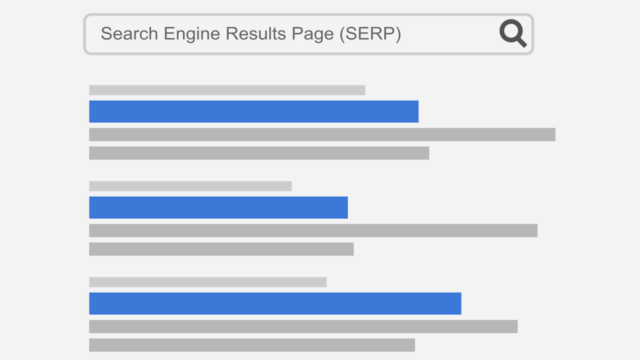
A meta title is the clickable headline people see in Google search results. This guide shows you how to write one that ranks, fits the length limit, and earns the click — with a simple formula and real examples.

Dofollow links pass ranking strength, nofollow links do not, but both have a role. This guide explains the difference, the 2019 Google changes, and when to use each one.