
Computers
How to Start a Website: A Simple Step-by-Step Guide (2026)
Start a website from scratch in 2026 — domain, hosting, builder, design, launch, full cost breakdown, timeline, and the mistakes to avoid.

 By Taylor Orlando
·November 24, 2026

Learning how to make a portfolio website for beginners is simpler than it looks. You do not need to know how to code, and you do not need a big budget. A portfolio website is just a small site that shows your best work in one place, so the people who might hire you can see what you can do in about two minutes. This guide walks you through each step in plain English: picking your work, writing it up, choosing where to build it, and publishing it — with real 2026 prices and the mistakes to avoid.
In this guide:
A portfolio website is your own small site that shows your best work in one place. It usually has a home page with your work up front, a page or section for each project, a short about page, and a clear way to contact you. That is the whole job: prove what you can do, then make it easy to reach you.
It is not the same as a resume. A resume claims what you can do. A portfolio proves it. It is also not the same as a social media profile. On Instagram or Behance, your work sits next to everyone else’s, inside someone else’s rules. On your own site, you control the order, the story, and the next step a visitor takes.
| Portfolio website | Resume | Social profile (Behance, Instagram) | |
|---|---|---|---|
| Shows your work | Yes, full projects with context | No, only job titles | Yes, but no context |
| You control the layout | Yes | Yes | No |
| Has your own web address | Yes | No | No |
| Can be found on Google | Yes | No | Hard to rank |
| Best for | Winning work | Applying for jobs | Getting discovered |
Most people use all three together: a resume to apply, a social profile to get seen, and a portfolio website as the link they send when someone is ready to decide.
If your work can be shown, a portfolio website helps you. For designers, illustrators, and photographers it is simply expected — reviewers shortlist from the work itself, and an application without a link to it usually stalls. For developers it has become close to standard, because a working project answers questions a job history cannot. Writers use one to collect clips that would otherwise be scattered across ten different sites. Freelancers and consultants lean on theirs hardest of all, since a new client rarely asks for anything else before a first call.
Students need one too. A student portfolio with three good class projects, written up properly, beats a blank resume. And if you are changing careers, a portfolio is the fastest way to show your new skill — it speaks louder than a course certificate.
A strong beginner portfolio has five parts. Keep it to these at first. Extra pages can wait until the core is live.
How many projects should you show? Three to six is the right range for a beginner. Put your best one first, not your newest one. Every weak piece you add waters down the strong ones, because a reviewer spends their limited time on whatever you put first. Once you have a track record, eight to ten is fine — but never twenty. Nobody scrolls through twenty projects.
Start with your work, not with the website. Go through everything you have made and pick the pieces that match the work you want next. If you want branding work, show branding projects. If you want front-end jobs, show finished, working sites. A project earns its place when it clears four tests:
For each field, reviewers look for something a little different. Photographers lead with one strong series — 15 to 30 images grouped by type. Graphic designers lead with full case studies, three to five projects with depth, not single images. Developers lead with two or three finished apps that run and have a clear README. Writers lead with their best clips, grouped by topic.
Most beginners worry about this, and it is the easiest problem to fix. You do not need paying clients to have portfolio pieces. Use class projects, but rewrite them as real case studies: the brief, what you did, the choices you made, and what you would improve. Do one or two self-started projects aimed at the job you want — a booking page for a local barber, a logo set for a made-up coffee brand, a small tool that solves a problem you have. Label them honestly as personal work. Volunteer work counts too: a poster for a local charity, a site for a family business, photos for a school event. Two or three finished, honest projects beat ten half-built ones every time.
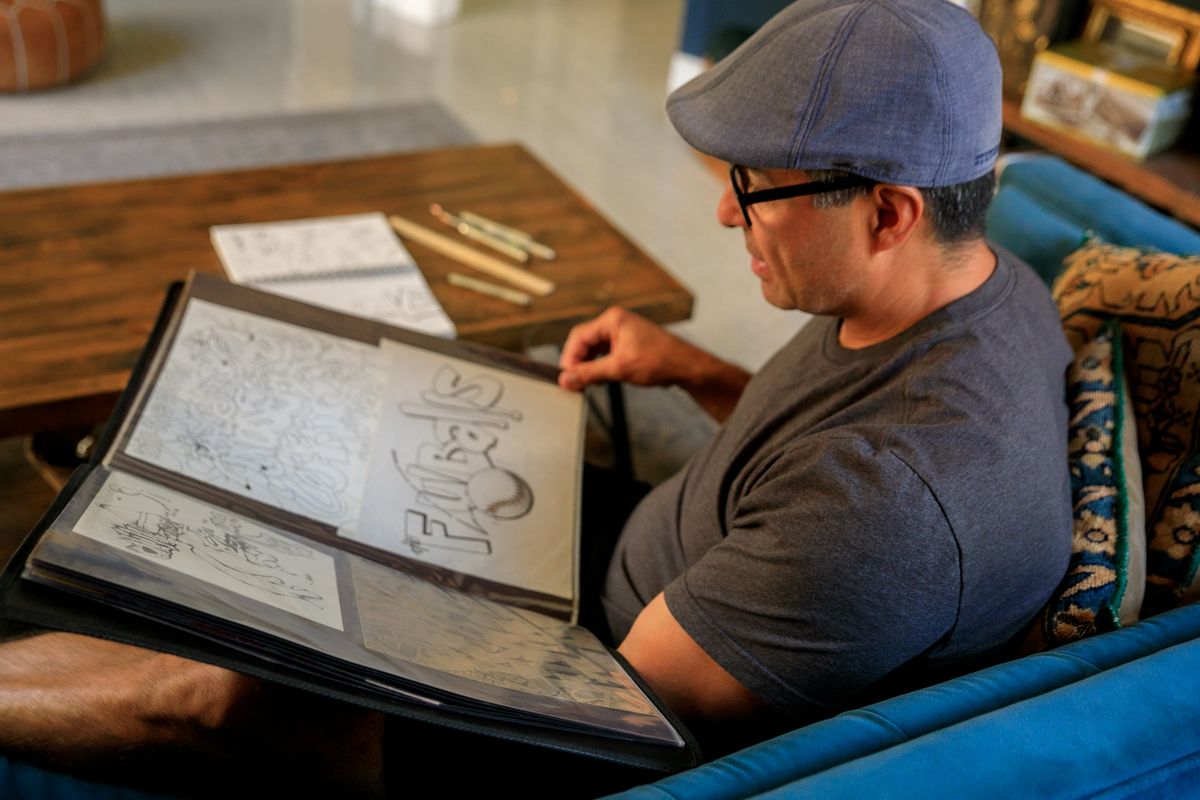
The write-up is where portfolios are won. A bare image or a bare link forces the reviewer to guess what they are looking at, and they will not spend long guessing. Every project needs four short parts, in four to eight sentences:
Write it the way you would explain it to a friend, not the way a brochure would. Short sentences. Real details. “I rebuilt the booking page because half the visitors left before finishing” tells a reviewer far more than “I delivered a user-focused solution.”
For photos and design work, add a line about the tools you used. For code, add a link to the live site and the code repository, and make sure both actually work — dead links are the fastest way to lose a reviewer.
You have three realistic ways to build a portfolio site. Pick one and move on — the tool matters far less than the work on it.
1. A website builder. The fastest route. You pick a template, drag your work in, and publish. Hosting, security, and mobile layout are included. This is the right choice for most beginners, especially photographers, designers, and writers.
2. A portfolio-first platform. Builders made for portfolios, with galleries, client proofing, and stores for prints built in. Best if you are a photographer or visual artist who delivers work to clients.
3. Code it yourself. Plain HTML and CSS, or a framework you already know. Slower, but you learn a lot, and a portfolio you coded yourself doubles as a project — a real plus if you are applying for developer jobs. Only pick this if you already enjoy coding; a portfolio is not the place to learn it from scratch.
| Builder | Best for | Free option | Paid from (Nov 2026) |
|---|---|---|---|
| Squarespace | Designers, polished templates | 14-day trial | $19 a month, billed yearly |
| Wix | Big template library, business tools | Free plan | $17 a month, billed yearly |
| Format | Photographers, client proofing | 14-day trial | $10 a month, billed yearly |
| WordPress.com | Writers, blogs, full control | Free plan | $4 a month (Personal), billed yearly |
| Adobe Portfolio | Anyone already on Creative Cloud | Included with Creative Cloud | Creative Cloud from $9.99 a month |
| Carrd | One-page portfolio, almost free | Free plan (3 sites) | $9 a year (Pro Lite) |
| Pixpa | Photographers, 0% commission store | 15-day trial | About $7 a month, billed yearly |
Prices change, so check the builder’s own pricing page before you pay. Two free starting points are worth knowing about: Behance lets you publish projects for free and get seen by clients and other creatives, and GitHub lets developers pin their best repositories on a tidy profile page. Both work well as a first step, and both pair nicely with a proper site later. If you are a student, check for student deals too — Cargo, for example, is free for students.
Whichever builder you pick, make sure of three things before you commit: it lets you use your own domain name, it looks good on a phone without extra work, and you can export or move your content later. Getting locked into a tool that holds your work hostage is a headache you do not need.
Pick a template that puts your work first and gets out of the way. Big images, lots of white space, and a clear grid beat a clever layout every time. A template gives you the page structure on day one, so your time goes into the projects and the writing instead of the layout.
You do not need design talent. You need a few simple rules:
Photos and images carry a portfolio, so treat them well. Use high-quality images — about 1,200 pixels wide is a good size for project images — but compress them before uploading so pages load fast. A portfolio full of 5 MB photos feels broken on a phone, and reviewers will not wait for it.

Build in this order, and do not skip ahead. A finished simple site beats a half-built fancy one.
| Page | Its job | What it must include |
|---|---|---|
| Home | Say what you do, show the work at once | One-line statement, 3–6 project thumbnails, one contact button |
| Work index | Let visitors pick the project closest to their need | Every project with a title, one-line summary, and a clear image |
| Case study | Prove how you think, not only what you made | Problem, your role, process, the final work, the result |
| About | Make it human | Short bio, photo, tools you use, city |
| Contact | Make the next step easy | Form, email, links to LinkedIn or GitHub |
If you only have a few projects, a single long page with anchored sections can do the same job as five separate pages. The rule is the same either way: each section answers one question, and nothing on the page is there just to fill space.
Write your home page headline as one line that says what you do and for whom. “Brand designer for small food businesses” beats “Welcome to my portfolio.” Then put your best project first — the one you would show if you only got to show one.
Four small things separate a portfolio that looks finished from one that looks like a draft.
Get your own domain name. YourName.com looks far more serious than yourname.builder.com, and it costs about $10 to $15 a year. Many builders include a free domain for the first year on a paid plan. Keep it short, easy to spell, and close to your name or your work name.
Add basic SEO so Google can find you. Set your site title to your name and what you do, for example “Sara Ahmed — Brand Designer.” Write a one-line description for each page, and add alt text to every image that says what the image shows. This takes ten minutes and it is the difference between a site Google can show people and one it cannot.
Make the contact form work. Fill it in yourself and check the message arrives. A form that eats messages is worse than no form at all. Add your email address as a backup, and links to your LinkedIn or GitHub where they fit.
Check speed and mobile. Open your site on your phone and on a slow connection. Images should load quickly, text should be easy to read without zooming, and buttons should be easy to tap. A free speed check like PageSpeed Insights will flag the biggest problems for you.
Before you hit publish, run through this quick launch checklist:
Then publish and share the link everywhere it belongs: your resume, your LinkedIn profile, your email signature, your Behance or GitHub profile, and any job or freelance application. A portfolio nobody sees is just a private folder. Tell people it exists.
After launch, keep it fresh. Add new work as you finish it, and remove pieces that no longer match the work you want. A portfolio with one project from this year beats a portfolio with ten projects from three years ago. Set a reminder to review it every three months — fifteen minutes is enough.
It can cost nothing, or about $10 to $20 a month. It depends on the route you pick.
| Route | What you pay | What you get |
|---|---|---|
| Free | $0 | Behance or GitHub profile, or a free plan on Wix, WordPress.com, or Carrd — on a shared subdomain, with the platform’s branding |
| Cheapest own site | About $19–$30 a year | Carrd Pro Standard ($19 a year) plus a domain (about $10–$15 a year) — one clean page with your own address |
| Builder plan | $10–$19 a month | Format ($10 a month), Wix Light ($17 a month), or Squarespace Basic ($19 a month), billed yearly — full site, own domain, no platform branding |
| Already on Adobe | $0 extra | Adobe Portfolio is included with a Creative Cloud subscription (from $9.99 a month) |
For most beginners, the cheapest own site is the best deal: under $30 a year for a clean page at your own address. Upgrade to a full builder plan when you have more work to show or you start taking clients.
Three to six strong projects. Put your best one first. Quality beats quantity — two finished, well-explained projects impress a reviewer more than ten half-built ones.
Yes. Behance and GitHub are free, and Wix, WordPress.com, and Carrd all have free plans. The trade-off is a shared subdomain (yourname.builder.com) and the platform’s branding. A custom domain and a paid plan cost from about $19 a year and look more professional.
No. Website builders like Squarespace, Wix, and Format need no code at all. Coding your own portfolio is an option if you are a developer and want the practice, but it is not required.
Use class projects, personal projects, and volunteer work. Rewrite them as case studies with the brief, your choices, and the outcome, and label them honestly as personal work. Reviewers care about what you can do, not who paid for it.
A resume lists your jobs and skills. A portfolio shows the actual work, with context and results. Use both: the resume to apply, the portfolio link to prove you can do the job.
One focused weekend is realistic for most beginners: a day to pick and write up your projects, and a day to build the site on a builder. Coding it yourself takes longer — plan one to two weeks.
Mostly, they won’t find it on their own at first — you send the link. Put it on your resume, LinkedIn, email signature, and every application. Basic SEO (a clear site title, page descriptions, and image alt text) helps Google show it over time, and sharing your work on Behance or social media brings visitors in the meantime.
Last updated: November 2026. Prices in this guide were checked in November 2026 and can change — check the builder’s own pricing page before you pay.

Taylor Orlando is a content writer at Meregate covering websites, SEO, and AI. Taylor breaks down complex topics into simple, practical guides that help small businesses build better websites, rank higher on Google, and get real value from AI tools — no jargon, no fluff.
Start a website from scratch in 2026 — domain, hosting, builder, design, launch, full cost breakdown, timeline, and the mistakes to avoid.

Learn how to build a website with AI — pick a builder, write a good prompt, edit, and publish. Free options, real costs, and SEO limits explained.
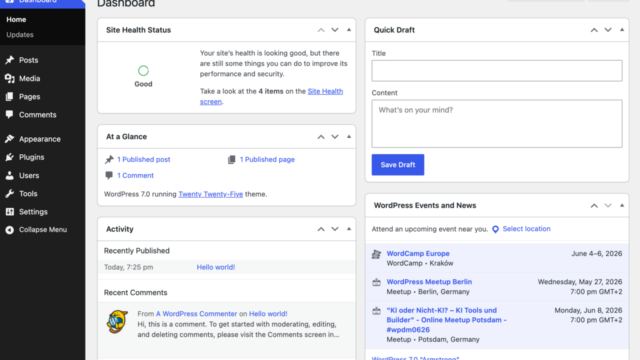
Learn how to install WordPress in about 5 minutes — with a one-click installer, a manual cPanel install, or on your own computer. Simple steps, no coding needed.