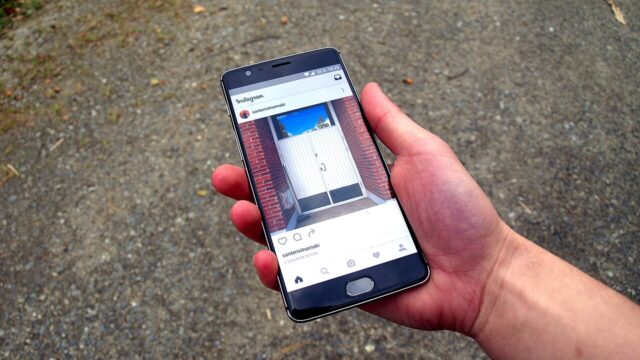
Social media marketing for small business does not mean going viral, hiring an agency, or posting every day. It means showing up where your customers already spend time, saying useful things, and staying in touch until they need what you sell. Done right, it brings in enquiries, repeat customers, and trust — all without a big budget.
Last updated: October 2026
What social media actually does for a small business
Think of your social profiles as a shop window that never closes. Before people call you or visit your store, many of them check your Facebook or Instagram page first. They are asking three quiet questions:
- Are you still open and active?
- Do real people work here?
- Have other customers had a good experience?
If your page answers those three questions well, you have done most of the job. Sales follow trust, not the other way around. That is why a small account with loyal local followers often brings in more business than a big account nobody talks to.
Step 1: Pick one clear goal
Before you choose a platform or write a single post, decide what social media should do for you in the next three months. Pick one main goal:
- Get seen — more local people learn your business exists.
- Get enquiries — more calls, bookings, or direct messages.
- Get sales — more orders on your website or in your store.
- Build trust — show proof and know-how so people pick you over a competitor.
Your goal decides what you post and what you measure. A business that wants bookings should post its work, its reviews, and a clear way to book — not just pretty photos with no next step.
Step 2: Pick one or two platforms, not five
Most small businesses do better on one or two platforms done well than on five done badly. Start where your customers already are. If you are not sure, ask ten of your best customers which app they open most.
| Platform | Best for | Start here if you… |
|---|
| Facebook | Local customers, community groups, older buyers | serve a local area or sell to families |
| Instagram | Food, beauty, shops, trades with visual work, services with before-and-after results | can show your work in photos or short video |
| TikTok | Reaching new, younger customers fast with short video | are comfortable on camera or can film your process |
| LinkedIn | Business services, consultants, B2B work | sell to other businesses |
You can always add a platform later. Starting small is what keeps you going past the first month.
Step 3: Fix your profile before you post anything
A good profile does quiet selling work for you around the clock. Check these five things today:
- Photo: a clear logo, or a real photo of you if you are the face of the business.
- Bio: one line that says what you do, who it is for, and where you are based.
- Link: one working link to your website, booking page, or menu.
- Hours and contact: current opening hours, phone number, and address if you have a shop.
- Highlights or pinned post: pin your best work, your prices, or your most common question and answer.
This alone puts you ahead of many competitors. Plenty of business pages still have an old address, a dead link, or no bio at all.
Step 4: What to post — five buckets that never run dry
The hardest part of social media is knowing what to say. Use five buckets and rotate through them. You will never stare at a blank screen again.
- Useful tips: short advice from your trade. A plumber can show how to stop a tap dripping. A bakery can show how to keep bread fresh.
- Behind the scenes: your team, your process, a job in progress. People buy from people, not logos.
- Proof: customer photos, reviews, and before-and-after results (with permission).
- Questions and polls: ask your audience to pick, vote, or share an opinion. Replies push your posts to more people.
- Offers: your product, service, or deal — but keep this to about one post in five. A page that only sells feels like a flyer, and people stop reading flyers.
Here is what one steady week can look like:
| Day | Bucket | Example |
|---|
| Monday | Useful tip | A 60-second how-to video |
| Wednesday | Behind the scenes | A photo of a job in progress |
| Friday | Proof | A customer review with a photo of the result |
Three posts a week, posted every week, beats seven posts in one week followed by a month of silence.
How often should you post?
There is no magic number, but most guides for small businesses land in the same range: 3 to 5 times a week on your main platform, and less on a second one. Short video tends to reach further than plain photos on Instagram and TikTok right now, so if you can film one short video a week, do that first.
Consistency matters more than volume. Pick a rhythm you can keep for three months, not three days. If three posts a week is all you can manage well, post three times a week. Once a week, every week without fail, is still far better than nothing — an account that goes quiet for months looks closed.
As for timing, your own numbers beat any general chart. After a month of posting, check which posts got the most reach and replies, and post more often at those times. Your audience will tell you what works.
Free tools that save you hours
You do not need paid software to start. Two free options cover most small businesses:
- Meta Business Suite — Meta’s free tool for Facebook and Instagram. You can write posts, schedule them ahead of time, and see basic results in one place.
- Buffer’s free plan — lets you connect up to three channels and keep up to 10 posts scheduled per channel, which is plenty for a 3-post-a-week rhythm.
Batch your work: set aside one hour a week, write all three posts, schedule them, and get on with running your business. Scheduling ahead is the single best cure for the “I forgot to post” problem.
How to tell if it is working
Likes feel good, but they do not pay bills. Once a month, spend 30 minutes checking numbers that connect to your goal:
- Profile visits and website clicks — are more people finding you?
- Direct messages and enquiries — are people asking about your service?
- Saves and shares — these show real interest better than a quick like.
- Which posts brought enquiries — make more of that kind.
If a type of post never brings a visit, a message, or a sale after a month, drop it and try something else. And give it time: organic social media is usually a 3 to 6 month effort before results feel steady. Ads can work faster, but they amplify what already works — they rarely fix a page with no clear offer and no replies.
Should you run ads?
Not at first. Get your profile fixed, post steadily for a month, and learn which posts your audience likes. Then, if you want faster reach, test one small ad: a single post that already did well, shown to people near your area, with a small daily budget you can afford to lose while you learn. Watch what one ad costs you per enquiry. If that number makes sense for your business, keep going. If it does not, stop the ad and go back to organic posts — no shame in that.
Mistakes that hold small businesses back
- Posting only when you remember. Gaps kill momentum. Schedule ahead.
- Only selling. If every post is “buy now,” people tune out. Mix in tips, proof, and personality.
- Buying followers. Fake followers never buy anything, and they wreck your reach because they never engage.
- Ignoring comments and messages. Replies are where trust is built. Answer every comment and message, ideally within a day.
- Quitting after two weeks. Two weeks is not a test. Give any new rhythm at least 90 days before you judge it.
- Copying big brands. A local bakery does not need a national chain’s content plan. Your edge is that you are real, local, and reachable.
A simple 30-day starter plan
Week 1: Set your goal, pick one or two platforms, and fix your profile using the five-point checklist above.
Week 2: Post three times using three different buckets. Reply to every comment and message. Save your best customer photo or review for week 3.
Week 3: Film one short video — a tip, a tour, or a job in progress. It does not need to be perfect; clear sound and good light matter more than fancy editing.
Week 4: Look at your numbers. Which post got the most saves, shares, or messages? Plan next month around more of that, and schedule the whole month’s first two weeks in one sitting.
Frequently asked questions
Do I need to be on every platform?
No. One platform done well beats five done badly. Start where your customers are, and add a second platform only when the first one runs on autopilot.
How long does social media marketing take to work?
Expect small signs in the first month — more profile visits, a few messages — and steadier results after 3 to 6 months of steady posting. Anyone who promises overnight results is selling you something.
Do I need a big following to get customers?
No. A few hundred local followers who actually engage will bring in more business than thousands of strangers who never interact. For local businesses, the right 500 followers beat a random 10,000.
Should I hire someone to run my social media?
Only when posting starts eating time you need for serving customers. Until then, a simple rhythm you run yourself keeps your voice real and your costs at zero. If you do hire help later, keep approving posts yourself at first so the voice stays yours.
What if I run out of ideas?
Answer the questions customers already ask you. Every “how much does it cost,” “how long does it take,” and “what should I pick” question is a post. Your inbox and your shop counter are full of content ideas.
The bottom line
Social media marketing for small business works when it is simple and steady: one goal, one or two platforms, a fixed profile, three useful posts a week, and replies to everyone who talks to you. Start this week, keep it up for 90 days, and judge it by enquiries and sales — not by likes. That is the whole system, and it is enough.