
SEO
Ahrefs vs Moz: Which SEO Tool Is Better in 2026?
Ahrefs has deeper backlink data. Moz costs less and is easier to learn. Here is the full comparison, with 2026 prices, so you can pick the right one.

 By Taylor Orlando
·November 14, 2026
What is the difference between domain and hosting? A domain is the address people type to find your website, like meregate.com. Hosting is the space on a server where your website’s files live. You need both to put a website online. The domain points people to you, and the hosting gives them something to see when they arrive.
Last updated: November 2026
The easiest way to remember it is the house analogy. Your domain is the street address. Your hosting is the land and the house itself. An address alone is useless without a house to visit. A house without an address is hard for anyone to find. A website works the same way.
A domain name is the name people type into their browser to reach your site. It is made of two parts: the name you pick, and the ending, called the extension. In meregate.com, “meregate” is the name and “.com” is the extension. Other common extensions are .org, .net, .co, and country endings like .uk or .ca.
You do not own a domain forever. You rent it, usually for one year at a time, from a company called a registrar. As long as you keep renewing it, it stays yours. If you stop paying, it expires and someone else can register it.
A domain by itself does nothing. It is only a name. To make it show a website, you have to point it at a hosting server. That pointing is done through settings called DNS, which we cover below.
If you want the full picture on names alone, here is our guide on what a domain name is and how to pick a good one.
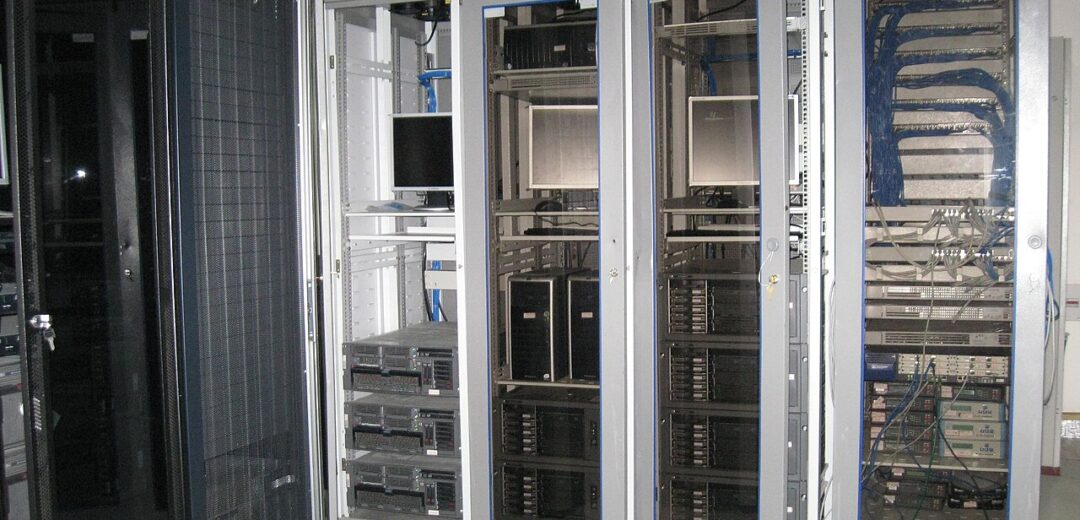
Web hosting is space on a computer — a server — that stays online all day, every day. Your website’s files live on that server: the pages, the images, the database, everything. When someone types your domain, the server sends those files to their browser, and the website appears.
Hosting companies run huge rooms full of these servers, called data centers. You rent a slice of one. The most common types are:
For a new small website, shared hosting is enough. You can move to a bigger plan later if your traffic grows.
| Domain name | Web hosting | |
|---|---|---|
| What it is | Your website’s address | The space where your website lives |
| What it does | Tells browsers where to go | Stores your files and serves them to visitors |
| Analogy | Street address | Land and house |
| Typical cost | $10 to $15 a year | $3 to $10 a month for shared hosting |
| Where you buy it | A domain registrar | A hosting company |
| Can you move it? | Yes, transfer to another registrar | Yes, migrate to another host |
| If it expires | Your site goes offline and the name can be taken | Your files are deleted after a grace period |
Here is what happens when someone visits your site:
DNS is the phone book of the internet. When you buy hosting, the host gives you two addresses called nameservers. You paste those into your domain’s settings at the registrar. That is the link between the two. Once it is set, the domain points to your hosting, and your site is live.
DNS changes take time to spread — usually a few minutes to a few hours, sometimes up to 48 hours. During that window, some visitors may still see the old site or nothing at all. That is normal. Wait a day before worrying.
Yes, for a normal website you need both. There are two edge cases worth knowing:
Some companies sell both together. You buy hosting and get a free domain for the first year. That is convenient, but keep in mind the domain renews at the normal price after year one. Other people buy the domain and the hosting from different companies. That is also fine, and it makes it easier to move one without touching the other.
For a small website, expect to pay about $10 to $15 a year for a .com domain and $3 to $10 a month for shared hosting. That is roughly $50 to $135 for the first year, all in.
A few cost traps to watch for:
Once your domain points to your hosting, the site is technically live — but there are a few small jobs left:
Yes, and many beginners do. It is simpler because the DNS is set up for you. The downside is that moving away later takes a little more work. Buying them separately gives you more freedom, but you have to connect them yourself with nameservers. Either way works.
Not separately. Builders like Wix and Squarespace include hosting in their monthly price. You still need a domain, which you can buy from them or connect from a registrar. The hosting is built in, so you never see it.
Your site goes offline right away, because the address stops working. Most registrars give you a grace period of about 30 days to renew. After that, the name goes back on sale and anyone can register it. Turn on auto-renew so this never happens.
Your site goes offline too, because the files have nowhere to live. Hosts usually keep your files for a short grace period, often 30 days, then delete them. Renew before the date, and keep a backup of your site somewhere safe.
No. A domain is only the address. A website is the content — the pages, images, and files — that lives on the hosting server. You need the address and the space together for the website to work.
The difference is simple once you see it: the domain is the address, the hosting is the home. Buy both, point the domain at the hosting, and your website is live.

Taylor Orlando is a content writer at Meregate covering websites, SEO, and AI. Taylor breaks down complex topics into simple, practical guides that help small businesses build better websites, rank higher on Google, and get real value from AI tools — no jargon, no fluff.
Ahrefs has deeper backlink data. Moz costs less and is easier to learn. Here is the full comparison, with 2026 prices, so you can pick the right one.

An image sitemap tells Google where your images live — including the ones hidden in galleries and JavaScript. Here is when you need one and how to set it up.
SEO means getting your website to show up higher in Google's free results. This plain-English guide explains how it works, what it costs, and where to start.