
Artificial Intelligence
How to Delete Your Perplexity Account (2026)
Deleting your Perplexity account is not the same as cancelling Pro. Cancel first, then delete — here are the exact steps and what gets wiped.

 By Taylor Orlando
·November 14, 2026
The best AI image generator for social media is the one that fits how you post. A quote card needs readable text. A product post needs a clean, real-looking photo. A full content calendar needs templates and the right sizes for every platform. No single tool wins at all three jobs, so this guide compares 8 tools on what matters for social media: free limits, price, text quality, sizes, and how fast you can go from idea to posted image.
Last updated: November 2026
If you are new to AI image tools, start with our guide to the best AI image generators for beginners. It covers the basics. This article goes further: it picks the tools that work best for social posts, not just for pretty pictures.
| Tool | Best for | Free tier | Paid from |
|---|---|---|---|
| Canva | Finished posts in templates | Limited AI generations | $15/month (Pro) |
| ChatGPT | Images with text, exact edits | Limited free use | $20/month (Plus) |
| Google Gemini | Photo edits, free images | Free with daily limits | Paid Google AI plans |
| Ideogram | Posters and quote cards | Free weekly credits | $20/month (Plus) |
| Adobe Firefly | Safe commercial use | Free credits | $9.99/month (Standard) |
| Leonardo AI | Product and lifestyle shots | Free daily tokens | Paid plans |
| Midjourney | Artistic, eye-catching feeds | No free tier | $10/month |
| Microsoft Designer | Fast, free social graphics | Free with daily caps | Microsoft 365 plans |
Canva is the only tool on this list where you generate the image and finish the post in the same place. Its Magic Media generator makes the picture, and then you drop it into a template sized for Instagram, Facebook, LinkedIn, or Pinterest. You can add your text, your logo, and your brand colors without opening another app.
The free plan includes a limited number of AI generations each month. Pro, from $15 a month, raises that limit and adds Magic Resize, which turns one design into every platform size with one click, plus a full brand kit so your posts keep the same look.
Pick Canva if you post often and you want speed over full control. It is the fastest way to turn an idea into a post that is ready to publish. The trade-off is control: you cannot fine-tune an image the way a dedicated generator lets you.
ChatGPT’s image generator (GPT Image 2) is the best all-rounder on this list. It renders text inside images more reliably than most tools, which matters for quote cards, sale banners, and thumbnails. It also follows long, detailed prompts well, and you can fix an image by talking back to it: “make the background lighter” or “change the shirt to red” works like a normal conversation.
Free ChatGPT accounts get limited image generation. Plus, at $20 a month, gives you much more. There is no separate image-only plan, so you are paying for the whole ChatGPT package, not just pictures.
Pick ChatGPT if your posts carry words — announcements, quotes, covers, carousels — and you want to edit by describing the change instead of learning a new tool.
Gemini’s image tool, built on Google’s Nano Banana models, is the strongest free pick for realistic photos and photo edits. You can upload your own photo and ask Gemini to change the background, remove an object, or restyle the shot, and it keeps the rest of the photo intact. That is handy for product photos and lifestyle posts.
Free use comes with daily limits, and free images carry a watermark. Paid Google AI plans raise the limits. Image quality is high for a free tool, but prompt-following can be less exact than ChatGPT, so you may need two or three tries to get the shot you want.
Pick Gemini if you want good images without paying anything, and you mostly edit real photos rather than building graphics from scratch.
Ideogram is the specialist for images with words. Posters, flyers, quote cards, and announcement graphics come out with clean, readable text far more often than with general tools. If your feed is full of text-led graphics, Ideogram will save you from re-generating the same image five times to fix a spelling mistake.
The free plan gives you a small number of credits each week, and images on the free plan are public by default. Plus costs $20 a month and adds private generations and more credits.
Pick Ideogram if your social content is mostly posters, quotes, and graphics with text. Pair it with Canva if you also need templates: generate the art in Ideogram, finish the layout in Canva.
Firefly is Adobe’s image generator, trained on licensed stock photos and public-domain images. That matters if you run ads or client work: the output is safer to use commercially than tools trained on scraped web images. It also plugs into Photoshop, so you can use Generative Fill to extend a photo or remove an object right inside your normal editing flow.
The free tier gives you a limited number of credits. The Standard plan costs $9.99 a month. As a pure text-to-image tool it is weaker than ChatGPT or Midjourney, but as part of a Photoshop workflow it is hard to beat.
Pick Firefly if you already use Photoshop, or if you need images for paid ads and want the cleanest commercial-use story.
Leonardo is strong at polished product and lifestyle images: a product on a clean background, a lifestyle scene, a character with a steady look across several images. It gives you more control than most tools, with models tuned for different styles and settings for keeping a character or product consistent.
The free plan gives you a daily token allowance, which is enough for a few images a day. Paid plans raise the limit and add faster generation. The learning curve is steeper than Canva or ChatGPT, so expect to spend an hour learning the settings before it feels fast.
Pick Leonardo if you sell products and you need a steady stream of clean product and lifestyle shots for your feed.
Midjourney still makes the most striking images of any tool here. If your feed is built on mood and style — fashion, travel, food, art — nothing else gives you the same look. It runs through Discord or its own website, and it rewards short, style-heavy prompts.
There is no free tier. Paid plans start at about $10 a month. Images on the lower plans are public by default, so anyone can see what you generate. Text inside images is still a weak point, so keep Midjourney away from quote cards and banners.
Pick Midjourney if your brand is visual first and you want a feed that stops people from scrolling. Skip it if you need text in your images or a free plan.
Microsoft Designer, built on the Copilot image tools, is the easiest free way to make a social graphic. Type a prompt, get a set of images, and drop one into a ready-made template. It works in the browser, and if you use Windows or Edge it is already there. There is no install and no learning curve.
Image generation is free with daily caps. The paid side is Microsoft 365, which adds more features but is not required for basic use. Quality is good for quick posts, though less polished than Midjourney or ChatGPT for detailed work.
Pick Designer if you want zero setup and zero cost, and your posts are simple graphics rather than high-end brand work.
Match the tool to the job, not to the hype:
Many small businesses end up with two tools: one for images and one for layout. A common pair is ChatGPT for the picture and Canva for the finished post. Another is Ideogram for text graphics and Canva for everything else. You do not need all eight. Pick one generator and one layout tool, and learn them well.
If your images are for a logo or a product page instead of a feed, the choice changes. Here is how the tools compare for logos and for product photos, where the needs are different from social posts.
None is fully free without limits. Gemini and Microsoft Designer give you the most usable free image generation for social posts, with daily caps. Canva’s free plan includes a limited number of AI generations, and Ideogram and Leonardo give free weekly or daily credits. Midjourney has no free tier at all.
Yes, but check the terms of the tool you use. Adobe Firefly is the safest pick for ads because it is trained on licensed content. Most paid plans allow commercial use. Free plans sometimes do not, or they add a watermark. When in doubt, pay for the plan and keep the receipt.
Canva, because it has templates in every Instagram size and a one-click resize for Stories, Reels covers, and feed posts. For the image itself, ChatGPT is best for text-led posts and Gemini is best for free photo-style posts.
It depends on the platform and the country. Instagram and Facebook can label AI-made images on their own, and some regions now require clear labels on synthetic content. When you post an AI image, saying so in the caption is the safe choice, and it costs you nothing.
Start with one tool, not eight. If you post daily and want speed, start with Canva. If you post text-led graphics, start with ChatGPT or Ideogram. If you want to spend nothing, start with Gemini. Whichever you pick, keep the style steady — a feed that looks like one brand beats a feed full of random pretty pictures.

Taylor Orlando is a content writer at Meregate covering websites, SEO, and AI. Taylor breaks down complex topics into simple, practical guides that help small businesses build better websites, rank higher on Google, and get real value from AI tools — no jargon, no fluff.
Deleting your Perplexity account is not the same as cancelling Pro. Cancel first, then delete — here are the exact steps and what gets wiped.
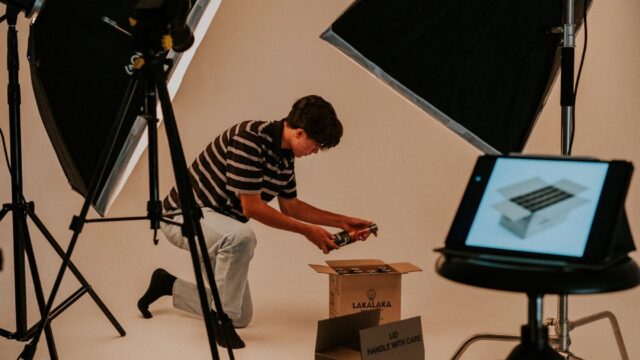
Eight AI tools that turn phone photos into studio-style product shots — compared on accuracy, backgrounds, free plans, and price.
Stop your Perplexity Pro renewal before the next charge — every billing route covered, from the website to the App Store, Google Play, and Airtel.