
SEO
Domain vs Hosting: What Is the Difference? (2026)
Domain and hosting are two different things, and you need both to put a website online. Here is the simple difference, the costs, and how they connect.

 By Taylor Orlando
·November 14, 2026

Ahrefs vs Moz is a classic SEO choice. Ahrefs has deeper data and a bigger backlink index. Moz costs less, is easier to learn, and invented the Domain Authority score half the industry still quotes. Both are good tools. The right one depends on your budget, your skill level, and what you actually do with SEO every week.
Last updated: November 2026
Prices below are from each company’s own pricing page, checked in November 2026. Both companies change prices often, so confirm the current numbers before you buy.
| Ahrefs | Moz Pro | |
|---|---|---|
| Cheapest plan | $129/month (Lite) | $49/month (Starter) |
| Mid plan | $249/month (Standard) | $99/month (Standard) |
| Free trial | No free trial | 7 days on Standard and Medium |
| Backlink index | One of the largest live indexes | Smaller, still large index |
| Authority score | Domain Rating (DR) | Domain Authority (DA) |
| Tracked keywords (entry plan) | 750 (Lite) | 50 (Starter), 300 (Standard) |
| Ease of use | Powerful, takes time to learn | Simpler, beginner-friendly |
| Best for | Serious link building and agencies | Small business and beginners |

Price is the biggest difference between the two, and it is not close.
Ahrefs runs four main plans on monthly billing: Lite at $129, Standard at $249, Advanced at $449, and Enterprise at $1,499. Paying yearly brings Lite down to about $108 a month. There is also a smaller Starter plan at $29 a month for very light use. Every plan includes one user only. An extra user on Lite costs $40 a month, and the cost rises on higher plans. There is no free trial, and Ahrefs says it never runs discounts.
Moz Pro runs four plans too: Starter at $49, Standard at $99, Medium at $179, and Large at $299 a month. Paying yearly cuts each by 20%: Starter drops to $39, Standard to $79, Medium to $143, and Large to $239 a month. Standard and Medium come with a 7-day free trial. Extra seats cost $49 per user a month.
Put side by side, Moz’s entry plan costs less than half of Ahrefs’ Lite. Even Moz’s top plan, Large at $299, costs less than Ahrefs’ second plan, Standard at $249, once you add a second user to Ahrefs. If budget is the deciding factor, Moz wins on price at every level.
That gap exists for a reason. Ahrefs charges more because its data is deeper and fresher, and its crawler is one of the most active on the web. Whether that extra depth is worth $80 or more a month depends on how much you use it.
Backlinks are the core of both tools, and this is where Ahrefs is strongest. Its live backlink index is one of the biggest in the industry, and it updates fast. New links often show up in Ahrefs within days. Its Site Explorer shows you every link pointing to a site, the anchor text, and whether the link is still live.
Moz’s Link Explorer covers the same ground but with a smaller index. It finds most of the links that matter for a small site, but for large or competitive sites it can miss links that Ahrefs catches. Moz updates its index less often, so fresh links take longer to appear.
For a small business checking its own links and a few competitors, Moz is enough. For an agency doing link building every day, or for anyone in a competitive niche where every link counts, Ahrefs’ deeper index is worth the money.
Both tools give every website a score from 0 to 100. They look similar, but they measure different things, and the numbers are not interchangeable.
Neither score is used by Google. Google does not look at DR or DA when it ranks pages. They are third-party estimates, useful for comparing sites and tracking progress, but not exact. A DR 40 site and a DA 40 site are not the same thing, so do not compare the two numbers directly.
DA has one advantage: it is the score more people quote. Clients, agencies, and guest post sellers talk in DA. If you work with other people who ask for DA, Moz gives you the number they expect. If you only care about your own link profile, DR is the more direct measure.
Both tools do keyword research and rank tracking well, with different limits.
Ahrefs’ Keywords Explorer has a huge database and shows keyword difficulty, search volume, clicks, and how many people click on results instead of ads. Its rank tracker on Lite follows 750 keywords, updated weekly. That is plenty for a small site, but an agency tracking many clients will hit the limit fast and need Standard or higher.
Moz’s Keyword Explorer is simpler and easier to read, which suits beginners. Its rank tracking is where the limits show: Starter tracks only 50 keywords, and Standard tracks 300. If you track more than a handful of keywords, you will need at least Standard, and probably Medium at 1,500 keywords.
If you want to compare either tool against cheaper options first, see our comparison of Ubersuggest vs Ahrefs. Ubersuggest costs far less than both, and for some small sites it is enough.
Both tools crawl your site and flag technical problems: broken links, slow pages, missing titles, duplicate content. Ahrefs’ Site Audit is deeper and handles large sites better. Moz’s Site Crawl is simpler and its reports are easier to read if you are new to technical SEO.
Ease of use is a real difference. Moz was built for beginners and small teams. The menus are simple, the reports explain themselves, and the learning curve is short. Ahrefs is built for power users. It can do more, but the interface is denser, and it takes longer to learn. If you open Ahrefs once a week, you may forget where things are. If you live in it every day, the depth pays off.
Moz also has an edge in learning resources. Its beginner guides and its community are aimed at people who are still learning SEO. Ahrefs’ blog and academy are excellent too, but they assume more knowledge.

Pick Moz if: you run a small business or a single website, your budget is under $100 a month, you are still learning SEO, or your clients ask for Domain Authority. Moz gives you everything a small site needs at a fair price, and the 7-day trial lets you test it first.
Pick Ahrefs if: you do link building every week, you work in a competitive niche, you run an agency with several clients, or you need the freshest backlink data you can get. The higher price buys deeper data and a bigger index, and for heavy users that difference is real.
Pick neither yet if: you only need basic keyword checks and rank tracking. A cheaper tool like Ubersuggest may cover you for a fraction of the price. See how it stacks up against the bigger tools in our Ubersuggest vs Semrush comparison before you commit to a $100-plus plan.
For backlink data and depth, yes. Ahrefs has a bigger, fresher link index and stronger tools for link building. For price and ease of use, Moz is better. Neither is better for everyone — it depends on your budget and how you work.
For a small business or a beginner, yes. Starter at $49 a month (or $39 on yearly billing) covers the basics: keyword research, rank tracking for 50 keywords, site audits, and link data. It is the cheapest entry to a full SEO platform among the major tools.
Yes, some agencies do. They use Ahrefs for backlink research and Moz for rank tracking and client reporting, because clients often ask for DA. That means paying for two tools, so it only makes sense if the work justifies both bills.
Domain Rating (Ahrefs) measures the strength of a site’s backlink profile. Domain Authority (Moz) predicts how likely a site is to rank. Both run from 0 to 100, but they are built differently, so a DR 40 and a DA 40 do not mean the same thing. Google uses neither score in ranking.
No. Ahrefs does not offer a free trial, and it says it never runs discounts. Moz offers a 7-day free trial on its Standard and Medium plans, which is a good way to test it before you pay.
For most small sites, Moz is the sensible pick: it costs less, it is easier to learn, and it does the job. For serious link building and agency work, Ahrefs earns its higher price with deeper data. Pick the one that matches how you actually work, not the one with the longest feature list.

Taylor Orlando is a content writer at Meregate covering websites, SEO, and AI. Taylor breaks down complex topics into simple, practical guides that help small businesses build better websites, rank higher on Google, and get real value from AI tools — no jargon, no fluff.
Domain and hosting are two different things, and you need both to put a website online. Here is the simple difference, the costs, and how they connect.

An image sitemap tells Google where your images live — including the ones hidden in galleries and JavaScript. Here is when you need one and how to set it up.
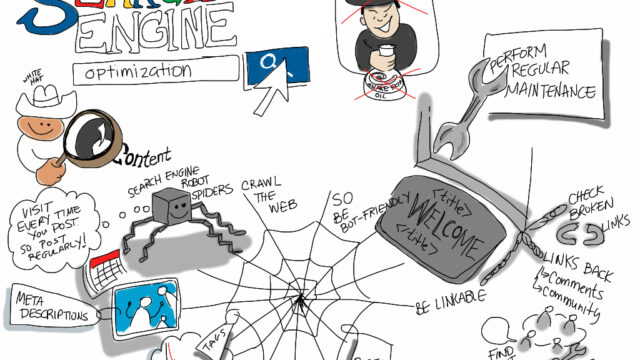
SEO means getting your website to show up higher in Google's free results. This plain-English guide explains how it works, what it costs, and where to start.