
Ai
How to Fix Gemini Not Loading: 10 Fixes That Work (2026)
Gemini will not load past a blank screen or a spinning loader? These 10 fixes, in the order you should try them, cover the web app, the mobile app, and your account.

 By Taylor Orlando
·November 3, 2026
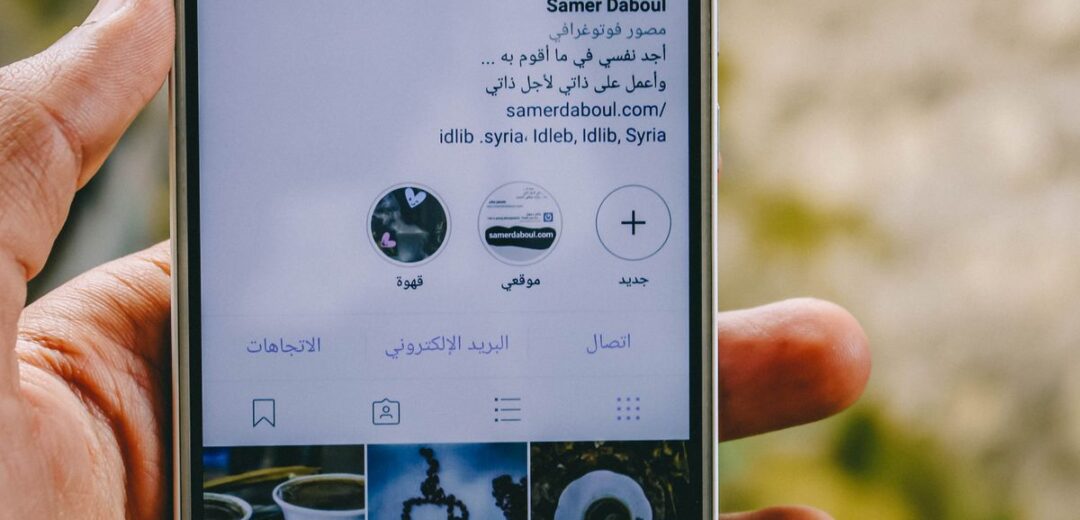
Instagram now has more than 3 billion monthly users, and standing out takes more than good photos. Creators juggle captions, carousels, Reels, hashtags, replies, and posting times — and that is before they make anything. AI tools can take over much of that work, but no single tool does it all well. The smart move is to pick one tool per job, not one tool for everything.
This list is built that way. Each tool below wins at one job: writing, design, video, scheduling, hashtags, or messages. Prices are starting points from late 2026 — AI tools change their plans often, so check the current price before you pay. A free starter stack at the end covers the basics at zero cost.
ChatGPT is still the best all-round writing helper for Instagram. Give it your topic, your audience, and your tone, and it drafts captions, hooks, content calendars, and reply ideas in seconds. Its real strength is not one perfect caption. It is ten options you can pick from and rewrite in your own voice. The free tier covers most creators. Paid plans start at around $8 to $20 a month and add faster replies and more features. Do not post its text as-is. Readers can spot generic AI captions, and Instagram rewards posts that sound like a person.
Canva is the default design tool for most Instagram creators, and its AI features are the reason. Magic Design turns a prompt into a full carousel or post. Magic Resize reshapes one design for feed, Stories, and Reels covers. Background removal and AI image generation fill the gaps when you have no photo. The free plan is genuinely useful. Pro costs about $15 a month and adds the Brand Kit, which keeps your colors and fonts the same across every post. If you make carousels, this is the first tool to pay for. See Canva for current plans.
Predis.ai is for creators who post a lot and have no designer. Type one idea and it makes the image, the caption, and the hashtags together. That speed is the point: a small brand can plan a week of posts in an afternoon. Paid plans start at around $19 to $32 a month, with a small free tier to test it. The trade-off is sameness. Posts made fully by AI can look alike, so treat Predis.ai as a first draft and change the wording and images before you publish.
Reels drive most growth on Instagram right now, and these two tools cover the two ways creators make them.
CapCut is for editing Reels from scratch. It adds auto-captions, trims silences, and styles vertical video fast. The free tier covers the basics, and paid plans add the full AI toolkit and 4K export. If you film on your phone, CapCut is the editor most creators already know.
Opus Clip is for turning long video into Reels. Give it a podcast episode, a live stream, or a long YouTube video, and it picks the best short clips, adds captions, and formats them for Reels. This is how creators who already make long content — like the ones using AI tools for podcasters or AI tools for YouTube creators — get weeks of Reels from one recording.

Later plans your grid, Stories, and Reels in one calendar, and its AI suggests the best times to post based on when your own followers are active. That last part matters: generic “best times” lists are guesses, while Later’s suggestions come from your account’s history. Plans start at around $25 a month, with a free tier for basic scheduling. If you run more than one account or plan content weeks ahead, a scheduler is not a luxury. It is what keeps posting steady when life gets busy.
Hashtags matter more than they used to, because Instagram now caps captions at 5 hashtags. Each tag has to earn its place. Flick finds tags that fit your post and your account size, and shows which ones actually bring reach. That beats copying 30 tags from a big account, which rarely works for a small one. Use Flick to build a small set of tags per post type — one set for Reels, one for carousels — and reuse them with small changes.
ManyChat turns comments and DMs into conversations. A follower comments a keyword on your Reel, and ManyChat replies with a link or a question in the DM. For creators who sell, book, or share links, this turns attention into action without sitting in the inbox all day. Pricing changed in 2026, with AI features as a separate add-on of about $29 a month on top of contact-based plans. Test it on one post type first, such as a lead magnet, before you automate everything.
Metricool tracks what works across Instagram and other platforms, and its AI summaries explain the numbers in plain words. It is the budget-friendly choice for creators who want competitor tracking and hashtag research in the same place as scheduling. A free tier covers the basics, and paid plans start at around $22 a month. Check it once a week, not once a day: daily numbers jump around too much to mean anything.
Meta AI now ships inside Instagram itself, and for casual creators it covers the basics for free: background swaps on photos, caption suggestions, and quick edits without leaving the app. It will not replace Canva or CapCut for serious work, but it is enough for Stories and quick feed posts. Check what it can do in your app before you pay for another tool, because its features change often.
You do not need to spend anything to start. ChatGPT’s free tier writes captions, Canva’s free plan designs posts, CapCut’s free tier edits Reels, Later’s free tier schedules basic posts, and Meta AI handles quick in-app edits. That stack covers every job on this list at a basic level. Pay only when one job becomes a bottleneck — when design takes too long, pay for Canva Pro; when posting takes too long, pay for Later.
A full stack of every paid tool here runs close to $150 a month. Most solo creators do fine at $0 to $44, with one or two paid tools at most. Buy the tool that fixes your slowest job, not the tool with the longest feature list.
There is no single winner. ChatGPT (free) for captions, Canva (free) for design, and CapCut (free) for Reels together cover the main jobs at no cost.
No. Tools save time and raise quality, but growth still comes from posting steadily — 3 to 5 times a week — and making content people reply to and share.
Yes, more than before. With a 5-tag cap, each hashtag has to be relevant. Use a research tool like Flick instead of copying tags from big accounts.
Several, one per job. No tool writes, designs, edits, schedules, and replies equally well. Pick the best tool for each job you actually do.
Last updated: November 2026

Taylor Orlando is a content writer at Meregate covering websites, SEO, and AI. Taylor breaks down complex topics into simple, practical guides that help small businesses build better websites, rank higher on Google, and get real value from AI tools — no jargon, no fluff.
Gemini will not load past a blank screen or a spinning loader? These 10 fixes, in the order you should try them, cover the web app, the mobile app, and your account.

Compare 12 AI tools for coding, from GitHub Copilot and Cursor to free open-source options, with prices and the job each one does best.

Learn how to use Midjourney in 2026: sign up, pick a plan, write your first prompt, and turn text into images with the web app. Simple steps for beginners.