Beginner’s Guide to Creating and Publishing Video Podcasts Anywhere
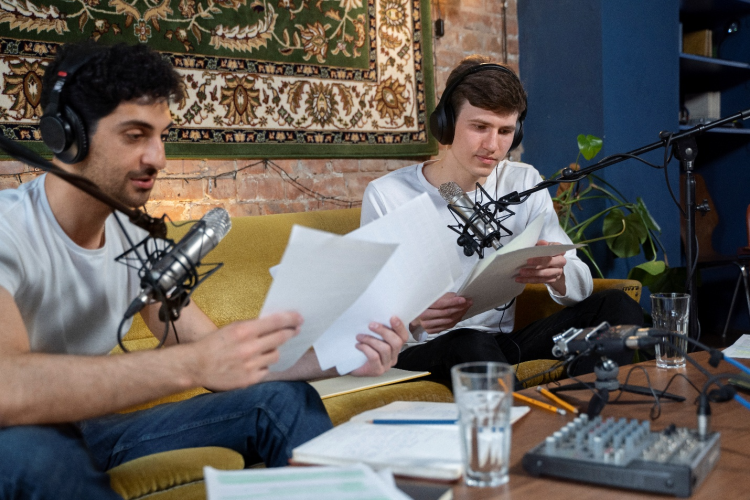
As a budding podcaster, you may have seen that video podcasts are gaining popularity among the audience. Further, between video and audio episodes, video podcasts are often gaining more engagement and views, with 44% viewers stating they trust creators more when seen on videos as opposed to audio podcasts. This stresses the importance of publishing video podcasts and why all beginners need to try and publish video episodes.
Platforms that offer free podcast hosting service are now including video podcasts owing to their high demand and popularity. Let’s take a look at what video podcasts are and how they help you step up your work.
What is a Video Podcast and Why It’s Trending
A video podcast is similar to traditional audio podcasts; however, the viewers can see the host, the guests, and their body language. Thus, it elevates a listen-only show to a talk show that one can watch.
The reasons why video podcasts are trending and the free podcast hosting service platforms are starting to offer them are as follows:
- Increase audience engagement, allowing people to connect on a deeper level.
- Help expand reach through social media platforms that are predominantly video-first.
- Offers more monetization opportunities by attracting better sponsorships.
- Makes podcasts SEO discoverable, thus increasing their reach.
- Offers greater room for experimentation with on-location shoots and storytelling techniques.
- Helps repurpose past recorded audio content.
The key difference between audio-only and video podcasts can be explained with the help of the following:
| Feature | Video Podcasts | Audio-only Podcasts |
| Visual Element | Video content alongside audio | Cover image of the podcast episode |
| Focus | Visual appeal and presentation | Audio quality and conversation format |
| Engagement | Watching and listening, more engaging | Listening only |
| Distribution | YouTube, Spotify | All podcast platforms |
| Consumption | May require more attention | On-the-go listening |
| Production Effort | Higher; requires filming, editing, and visual elements | Lower; focus on audio quality and editing |
| Production Cost | Higher | Lower |
| Equipment Needs | Cameras, lighting, and video editing software | Microphone and audio editing software |
Table 1: Video vs Audio Podcasts
Now that we know how lucrative the video podcasting scene is, let’s start on the setup.
Essential Tools for Video Podcast Creation
The first step to creating a YouTube or Spotify video podcast involves gathering the right tools. These include:
Tools for Recording
This includes a good-quality camera(s), a mic, headphones, or a device that has both built in (such as a smartphone or tablet).
Lighting and background
You can opt for natural light and backdrop, or set up ring lights and a backdrop, depending on your podcast. You may also use a branded backdrop from a sponsor.
Recording and Editing
Hubhopper, Squadcast, Riverside, and other platforms offer easy and seamless video podcast recording. Further, tools such as Descript, CapCut, Adobe Premiere Pro, Final Cut Pro, and DaVinci Resolve are a good way to edit the recorded video.
Hosting and Publishing Software
Hubhopper, Spotify for Creators, and YouTube are some of the best platforms for hosting video podcasts. Further, by uploading your work on Hubhopper, you can avail of one-click publishing to other platforms.
Choosing the Right Hosting Platform for Video Podcasts
With multiple platforms available to podcasters, it is important to choose the right hosting platform. The top hosting platforms available, along with their features, are as follows:
| Platform | Supports Video? | Cost | Key Features |
| Hubhopper | Yes | Free and paid plans ($12 per month) | Offers editing, hosting, and podcast distribution to multiple directories. |
| YouTube | Yes | Free to use | SEO-friendly, massive audience base |
| Spotify For Creators | Yes | Free to use | Supports native video podcasting |
| Apple Podcasts | Yes | Free to use | User-friendly and offers a huge listener base |
| Podbean | Limited | Free and paid plans ($9 per month) | Embeds and video podcast support options |
Table 2: Top Hosting Platforms for Video Podcasts
Step-by-Step Guide to Publishing Your First Video Podcast
To publish your video podcast on a platform that offers a free podcast hosting service, the steps are as follows:
Step 1: Record and edit your video
Using your camera and mic set-up, record your podcast episode. You may also import the video and audio from different devices and synchronize them. You may also trim the video, add graphics, improve the audio quality, and apply transitions, if necessary.
Step 2: Export in podcast-friendly formats
Once the editing for your video podcast is complete, save it in a format supported by the platforms (such as MP4).
Step 3: Upload the episode to a hosting platform
Fill in all the details of the podcast and upload it to your platform of choice. For instance, choosing Spotify for video podcast makes your work available to the millions of people who have a Spotify account. With YouTube, you get SEO-friendly publishing, making your podcast visible on Google.
Step 4: Upload audio-only version to podcast hosting site
An optional step, you may also upload the audio for your podcast for listeners who are active on audio-only podcast platforms. Further, this also helps you access a wider listener base.
Step 5: Distribute across Spotify, Apple, and Google Podcasts
Once the podcast is uploaded and published, you may distribute it to multiple platforms using the RSS feed link. Easy distribution platforms like Hubhopper are also great for publishing your YouTube and Spotify video podcasts, among others.
The steps outlined above are common to all major video podcast publishing platforms. There might be slight customizations as per different platforms.
Tips for Optimizing Video Podcasts for Platforms
To streamline video podcasting, you may try the following tips:
- Add timestamps and chapters for platforms like YouTube.
- Use custom thumbnails and SEO-optimized titles.
- Take short clips from the podcast and promote them on Instagram and LinkedIn.
- Embed full video on your website or blog.
Common Mistakes to Avoid
As a beginner, there are also mistakes that you need to watch out for, including:
- Not formatting the episode properly.
- Having poor audio quality despite good visuals.
- Skipping metadata such as titles, tags, and descriptions.
- Overlooking closed captions and accessibility.
Wrapping Up
Publishing video podcasts across multiple platforms requires the right tools, clear steps, and smart repurposing. With top platforms such as YouTube and Spotify, you can easily make your podcast available to millions of people. This starts with getting the right equipment and setup to create video podcasts that grab the attention of many.
Upgrade Your Show To Video Podcasts
Ready to go visual with your podcast and expand market reach? Start your video podcast with our easy guide and launch like a pro.

