Landing Page Design: 12 Tips for Pages That Convert (2026)

A landing page is a single web page built for one job: getting visitors to take one action. That action might be buying a product, signing up for a free trial, or leaving an email address. Good landing page design is what turns casual visitors into customers — and bad design is what sends them straight back to Google.
This guide breaks landing page design into simple, practical pieces. You’ll learn the parts every landing page needs, 12 design tips that actually move the needle, what a landing page should cost, and the mistakes to avoid. No design degree required.
What Is a Landing Page?
A landing page is where a visitor “lands” after clicking your ad, email link, or social post. Unlike your homepage, it has no distractions: no big menu, no blog feed, no ten different links. Just one page, one message, one thing to do.
Common types include:
- Squeeze pages — collect an email address in exchange for something free, like a discount code or a PDF guide.
- Sales pages — sell one product or service with a longer pitch, reviews, and a buy button.
- Lead capture pages — get quote requests or demo bookings, popular with agencies and B2B companies.
- Click-through pages — warm visitors up with details, then send them to a checkout or signup page.
The key difference from a regular website page: a landing page asks for exactly one action. Everything on the page exists to support that action.
Why Landing Page Design Matters
Most websites convert around 2–3% of their visitors. Dedicated landing pages do much better. Large benchmark studies of tens of thousands of landing pages put the median conversion rate at roughly 6–7% across industries, with the best pages topping 10%. Unbounce’s long-running benchmark report of 41,000+ landing pages found a median of 6.6% — and pages in the top quarter convert at 11% or more.
In other words, sending ad traffic to a focused landing page instead of your homepage can easily double your results from the same ad spend. Design is not decoration here. It’s the difference between paying for clicks and paying for customers.
The 7 Parts Every Landing Page Needs
Before the tips, here’s the basic anatomy. Almost every high-converting landing page has these sections, in this order:
- Hero section — the top of the page: headline, short supporting line, one clear button. This is what people see without scrolling.
- Benefits, not features — 3 or 4 short blocks explaining what the visitor gets, in their language.
- Product demo — a screenshot, short video, or image showing the thing in action.
- Social proof — reviews, customer logos, ratings, or real numbers.
- Why you — one short section on what makes you different from the alternatives.
- Final call to action — repeat the button at the bottom for people who scrolled.
- FAQ — answer the 4–6 objections people have right before they say yes.
You don’t need all seven for a simple offer (an email signup page can be three sections), but if conversions are low, check which parts are missing first.
12 Landing Page Design Tips That Actually Work
1. One page, one goal
Decide the single action you want before you design anything, and cut everything that doesn’t serve it. If you want email signups, don’t also push a product sale, a blog subscription, and a webinar on the same page. One page, one goal, one button repeated as needed.
2. Match the page to the click
If your ad says “50% off running shoes,” the landing page headline should say “50% off running shoes” — not “Welcome to our store.” This is called message match, and it’s one of the fastest fixes for a page that gets clicks but no signups. People should feel they landed in the right place within two seconds.
3. Write a headline people get in 5 seconds
Your headline should answer three questions fast: what is this, who is it for, and why should I care? Compare “Revolutionizing Digital Synergies” with “Bookkeeping software for freelancers — your taxes done in 20 minutes a month.” The second one tells you everything. Write the plain version first; you can make it prettier later, but never at the cost of clarity.
4. Put your call to action above the fold — and repeat it
“Above the fold” means visible without scrolling. Your main button should be there, next to the headline. Then repeat the same button after each major section, so people never have to scroll back up to act. Use action words: “Get my free quote” beats “Submit.”
5. Remove the navigation menu
This is the single most visible difference between a landing page and a homepage. Studies of dedicated landing pages show they convert roughly twice as well as general website pages — largely because they remove the menu and other exits. Keep your logo (unlinked or linking nowhere), and drop the nav, footer links, and social icons. Every link is a way to leave without converting.

6. Keep forms short
Every extra field on your form costs you signups. Ask only for what you need right now. For a newsletter, an email address is enough — you can ask for the name later. If you truly need more details (like a quote request), explain why: “We need your postcode to check availability in your area.” People give information when they understand the reason.
7. Design for mobile first
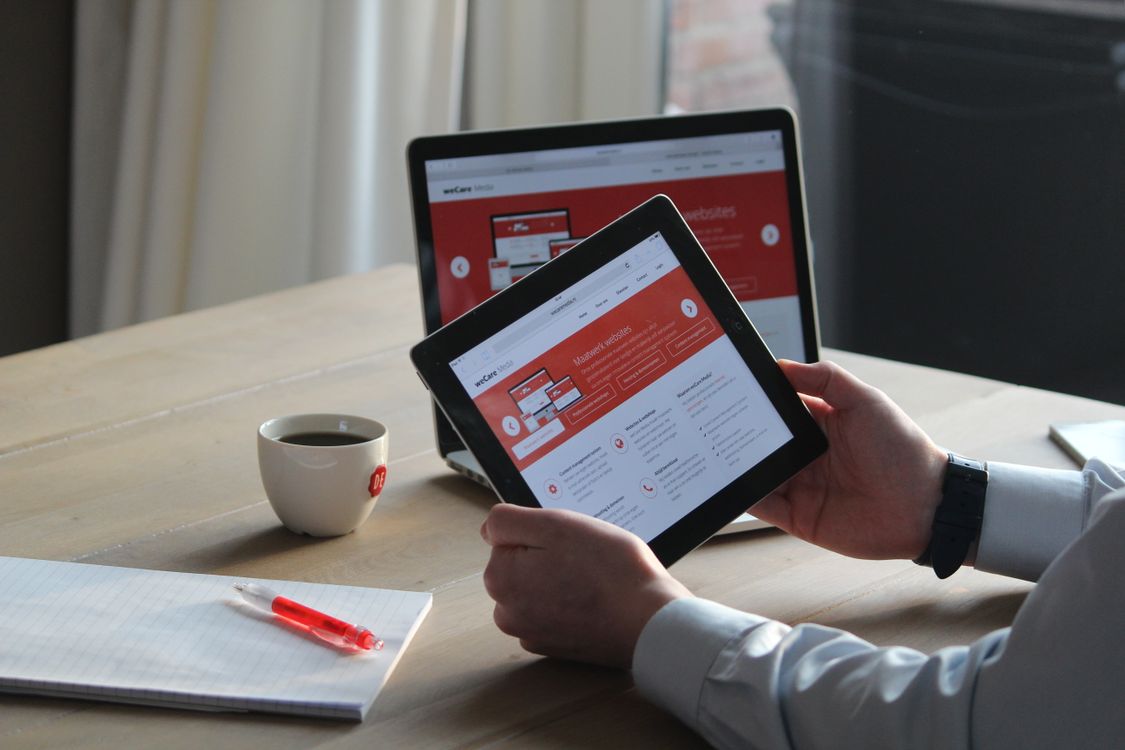
More than half of your visitors will likely arrive on a phone. Design the mobile layout first, then expand to desktop — not the other way around. That means: big tap targets (buttons at least 44 pixels tall), no tiny text, forms that don’t require pinching and zooming, and a sticky call-to-action button that stays visible while people scroll. Test on a real phone, not just your laptop’s device preview.
8. Make it load fast
A slow page kills conversions before your design even gets a chance. Compress your images, skip the auto-playing background video, and don’t load five different font families. Run your finished page through Google’s PageSpeed Insights and fix what it flags — aim for the green on mobile, since that’s where most visitors are.
9. Add real proof
People don’t trust claims; they trust other people. Add at least two of these: customer reviews with names, star ratings, client logos, real numbers (“12,000+ small businesses use us”), or a short case study with a before-and-after result. One honest review beats a paragraph of adjectives about how great you are.
10. Keep copy short and skimmable
Nobody reads a landing page top to bottom — they scan it. Use short paragraphs (2–3 lines), bullet points, and bold the key phrases. Cut every sentence that doesn’t help the visitor decide. If a section feels long, it probably is. A good test: read only the headlines and buttons. If the offer still makes sense, your page scans well.
11. Keep visuals simple
One strong hero image or short product video beats a slideshow of stock photos. Show the product, the result, or a real person using it — not abstract handshakes and skyscrapers. Keep your colors to two or three, make the button the brightest thing on the page, and leave plenty of white space. Clean pages feel trustworthy; cluttered pages feel risky.
12. Test before you scale
You don’t need thousands of visitors to improve a page. Show it to five people for five seconds each, then ask what the page was about — if they can’t answer, your headline needs work. Ask a friend to complete the signup while you watch silently; every hesitation is a design flaw. Once traffic grows, test one change at a time (headline, button color, form length) and keep what wins.
How Much Does a Landing Page Cost?
Prices vary a lot, so here’s an honest breakdown:
- Free: DIY builders like Canva let you design and publish a basic landing page for nothing. Good enough to test an idea.
- $0–$100: Premium templates for WordPress, Webflow, or Framer that you customize yourself.
- $349–$1,399: A design contest on 99designs, where multiple designers submit concepts and you pick the winner (pricing checked October 2026).
- $1,000+: A freelancer or agency for a custom page with copywriting and testing included.
For most small businesses, the smart move is to start free or cheap, prove the offer converts, and only then pay for a custom design.
Landing Page Design Mistakes to Avoid
- Asking for too much: a 10-field form on a first visit. Start small.
- Burying the button: if visitors must hunt for what to do next, they won’t.
- Stock-photo overload: generic images make a real business look fake.
- Popups on arrival: a popup before someone has read a word is a fast way to lose them.
- No proof: big claims with zero reviews, ratings, or numbers.
- Forgetting mobile: a page that looks great on desktop and breaks on phones.
- Slow loading: heavy images and videos that make people wait.
- Weak headline: clever but unclear beats nobody — clarity wins.
Frequently Asked Questions
How long should a landing page be?
As long as it takes to answer the visitor’s objections — no longer. A free ebook signup can be one screen. A $2,000 course needs reviews, FAQs, guarantees, and details. Match the length to the size of the ask.
What is the difference between a landing page and a website?
A website has many pages and many goals: inform, entertain, sell, support. A landing page has one page and one goal: get the visitor to take a single action. That focus is why landing pages convert better than homepages for paid traffic.
Is there a free landing page builder?
Yes. Canva offers a free landing page builder with templates, and most email marketing tools include simple landing page builders on their free plans. They’re limited compared to paid tools, but fine for testing an idea or collecting your first leads.
How much does a landing page cost?
Anywhere from free (DIY builders and templates) to about $349–$1,399 for a design contest, up to several thousand for a custom agency build. Start cheap, prove the offer works, then invest in better design.
Do landing pages need SEO?
Usually not much. Most landing pages get traffic from ads, emails, or social posts — not Google search. Cover the basics (a clear title, fast loading, mobile-friendly) but don’t spend weeks on SEO for a page built for paid traffic.
What is another name for a landing page?
Common alternatives are squeeze page, lead capture page, sales page, and click-through page. They all describe the same idea: a focused page built around one action.
Last updated: October 2026